
ECM in 2026 10 Biggest Enterprise
In 2026, enterprise content management isn’t failing because companies “don’t have a system.” It fails because work has outgrown the system: distributed teams, multi-cloud stacks, nonstop audits, AI-driven discovery, and customers who expect faster responses than your internal approvals can deliver. The result is familiar: teams waste hours searching, duplicate documents multiply, approvals stall, and compliance feels like a fire drill instead of a repeatable process.
This guide breaks down the 10 biggest enterprise ECM challenges you’ll face in 2026, what happens if you do nothing, and a practical solution approach based on structured document management—the kind of foundation modern ECM needs to support governance, workflow automation, and AI-ready content operations.
Why this matters today (AI search, compliance, scale, buyer expectations)
ECM is no longer just a back-office repository. It’s the operational layer behind sales cycles, vendor onboarding, quality documentation, and regulated records. Three market forces in 2026 make ECM decisions more visible—and less forgiving:
What is ECM (Enterprise Content Management) in 2026?
ECM in 2026 is the disciplined way an enterprise captures, organizes, secures, routes, retains, and audits documents and content—so people and systems can reliably find the right version, apply the right controls, and complete work with defensible evidence.
Why ECM governance matters
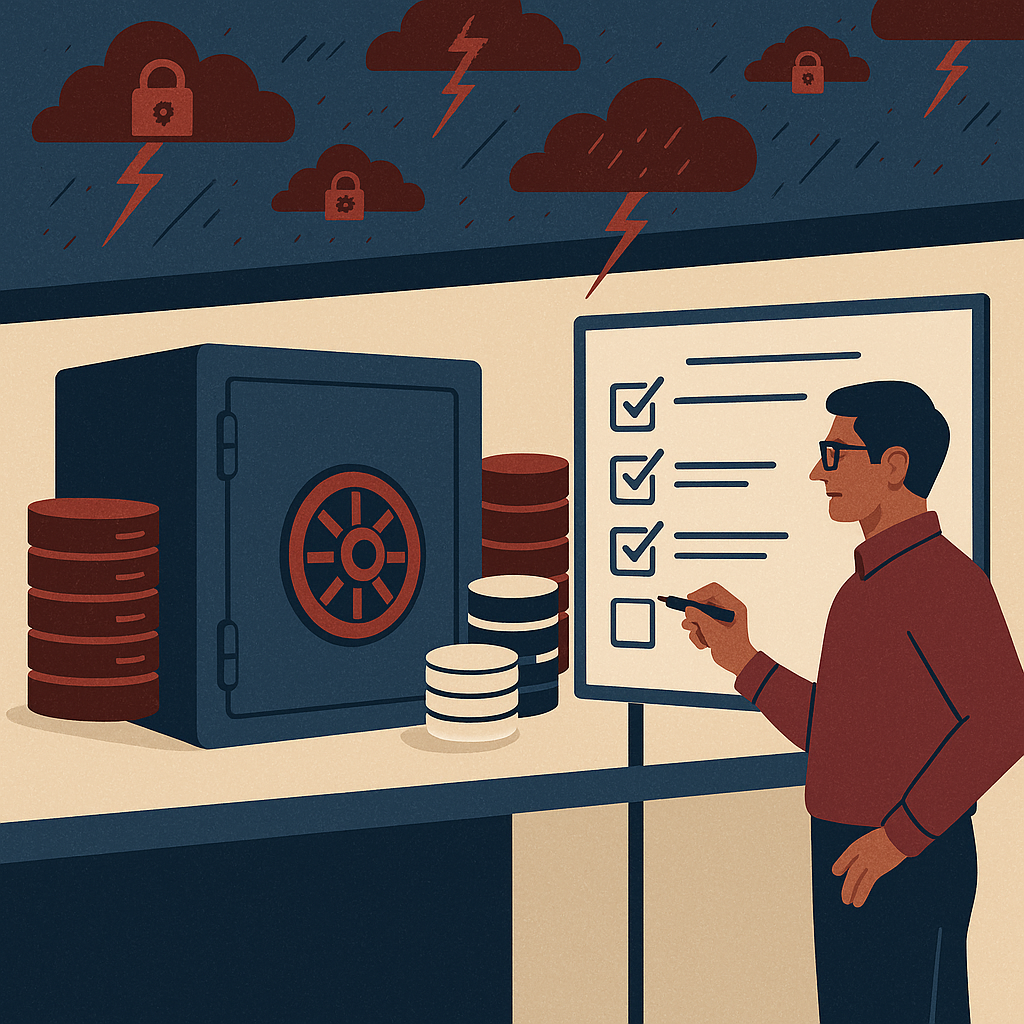
Governance matters because content is now an enterprise risk surface: access, privacy, retention, and integrity must be provable. Without governance, you don’t have “content operations”—you have uncontrolled file sprawl.
How structured document management helps
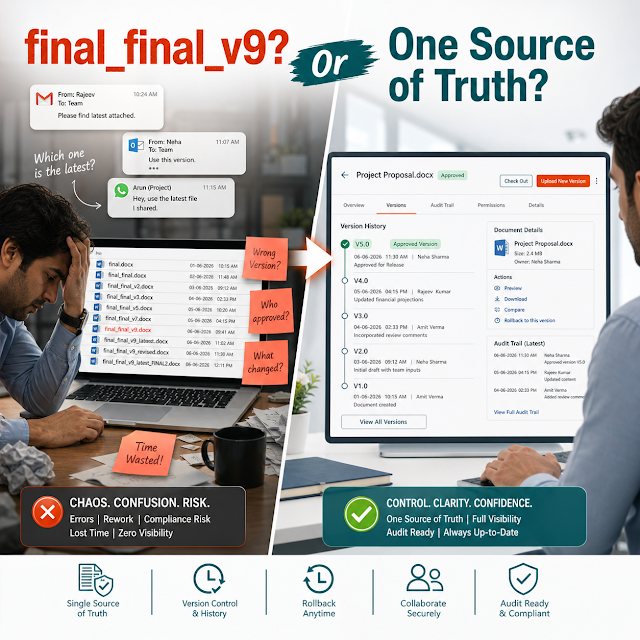
Structured document management helps by enforcing consistent metadata, controlled workflows, secure access, version history, and retention rules—so documents become reliable system assets instead of scattered files.
The 10 biggest enterprise ECM challenges in 2026
These challenges show up across industries—manufacturing, healthcare, BFSI, construction, energy, logistics, professional services—because they’re tied to scale, regulation, and speed.
The risks of doing nothing
- Audit and legal exposure: missing records, incomplete trails, and inconsistent retention can turn routine audits into high-cost remediation.
- Security incidents: over-shared folders, untracked downloads, and emailed attachments expand the breach surface.
- Operational drag: slow approvals delay revenue, increase vendor cycle time, and frustrate customers and partners.
- AI risk: answer engines trained on uncontrolled documents can confidently return wrong information or expose restricted content.
- Cost creep: storage growth, duplicate work, and manual coordination costs accumulate quietly—and then spike during crises.
Deep-dive: how these problems break real workflows
ECM issues are rarely abstract. They appear at the worst moments—when a deal is closing, an auditor arrives, a vendor must be onboarded fast, or a safety incident triggers a compliance response.
Contracting & legal review
Sales sends a contract as an email attachment. Legal edits a different version, procurement adds clauses, and the customer references “the last PDF.” Now you have multiple versions with unclear approval status.
Impact: longer cycle time, clause drift, increased risk of signing non-approved terms, and difficulty proving final approval history.
Quality/SOP document control
A plant or branch follows an outdated SOP because it’s cached locally. Another site updates its own copy. Training records reference “SOP v3,” but no one can confirm what employees actually used.
Impact: nonconformance findings, rework, product risk, and time-consuming corrective actions.
Vendor onboarding & compliance
Vendor certificates, tax documents, and insurance proofs arrive in inconsistent formats. Expiration dates are tracked in spreadsheets. When a document expires, nobody is notified until an incident occurs.
Impact: compliance gaps, financial risk, and interruptions in supply chain or project execution.
Customer support & case evidence
Support agents can’t find the right troubleshooting guide or the latest product bulletin. They rely on tribal knowledge or outdated docs, creating inconsistent outcomes.
Impact: slower resolution time, repeated escalations, and lower customer confidence.
Solution approach: structured document management that scales
The most reliable ECM programs in 2026 treat documents like governed assets with a defined lifecycle. A “ShareDocs-style” approach focuses on structure, control, and measurable workflows—without making everyday users fight the system.
A practical blueprint
Feature breakdown: what to look for in an enterprise-ready ECM
Use the features below as a buyer checklist for enterprise document management. The goal is not “more features,” but fewer gaps in security, compliance, and workflow execution.
Comparison: unmanaged files vs basic DMS vs structured ECM
Unmanaged files (drives + email)
- Fast to start, hard to govern
- Duplicate versions everywhere
- Manual approvals and missing trails
- High breach and audit risk
- Poor AI search reliability
Basic document management
- Central storage improves visibility
- Some search and access control
- Governance often optional
- Workflows may live outside the system
- Compliance maturity depends on discipline
Structured ECM (ShareDocs-style)
- Standardized content types + metadata
- Workflow automation with audit trails
- Retention, holds, and defensible disposal
- Least-privilege security and controlled sharing
- AI-ready content with permissions and provenance
Industry use cases (realistic scenarios)
Manufacturing: SOP control + audit readiness
A multi-plant manufacturer standardizes SOPs with effective dates, revision history, and approval workflows. Plant users only see the current approved version, while auditors can review the full trail and related training acknowledgments.
Healthcare: policy + privacy-driven access
A healthcare network classifies documents by sensitivity, restricting access to HR and clinical governance content. Review cycles ensure policies stay current, and access logs support incident investigations.
Construction/Engineering: project documentation at scale
Project teams organize drawings, RFIs, inspections, and handover documents by project and phase. Controlled sharing with subcontractors reduces email chaos and preserves a defensible record for claims and handover.
BFSI: contract + records retention
A financial services firm applies retention policies by document type, automates approval workflows, and maintains immutable audit logs. Legal holds and eDiscovery readiness reduce response time during disputes.
Implementation perspective: what “good” looks like
Successful ECM rollouts in 2026 prioritize adoption and governance together. A typical path:
Practical tip: don’t migrate chaos. Migrate clean, classified, owned content with clear retention and a defined “source of truth.”
Business impact and ROI: what enterprises typically gain
Cycle-time reduction
Standard workflows reduce approval delays for contracts, SOPs, and vendor docs. Clear routing and escalation reduces “lost in email” follow-ups.
Lower compliance cost
Audit trails, retention rules, and centralized evidence reduce the time teams spend assembling proof for audits and investigations.
Reduced operational risk
Access controls and version integrity reduce mistakes from outdated documents and prevent accidental exposure of sensitive data.
Less rework, higher throughput
When teams can find the right version quickly, they spend less time recreating documents, asking for copies, and reconciling changes.
Future-readiness: ECM built for AI search and trustworthy answers
AI-enabled content operations are only as strong as the content foundation. Enterprises want AI to summarize policies, surface clauses, and answer operational questions. But AI must respect permissions, cite sources, and avoid mixing drafts with approved records.
AI-ready ECM checklist
- Provenance: clear “source of truth,” version history, and approved status.
- Permissions: role-based access that carries through to search and sharing.
- Metadata: consistent classification (confidentiality, retention class, owner, effective date).
- Lifecycle: review cycles so AI doesn’t learn from obsolete documents.
- Auditability: ability to show what was accessed and when—especially when content informs decisions.
If you want AI to improve speed and decision quality, start by making your content findable, controlled, and current.
Continue exploring ShareDocs resources and updates on our official blog: https://sharedocsdms.blogspot.com/ | Learn more about ShareDocs solutions: https://sharedocsdms.com/
FAQ
1) What is the difference between ECM and a document management system (DMS)?
A DMS typically focuses on storing, finding, and versioning documents. ECM adds enterprise governance: workflows, records/retention, audit trails, security models, and compliance controls across departments and content types.
2) How do I make enterprise content AI-searchable without creating security risk?
Start with permissions and classification. AI search should respect role-based access, use approved versions only, and rely on consistent metadata. If you can’t confidently control who can see what, you’re not ready to scale AI over content.
3) What are the most important ECM features for compliance document management?
Prioritize audit trails, retention schedules, legal holds, controlled approvals, version history, and access logging. Compliance depends on provable process, not just storage.
4) Why do ECM implementations fail in large enterprises?
They fail when governance is optional, metadata is inconsistent, workflows remain in email, and adoption is not designed into daily work. Successful rollouts choose a high-value use case, standardize structure, then expand systematically.
5) How can workflow automation improve document-driven processes?
Workflow automation reduces cycle time by routing tasks to the right roles, tracking status, enforcing approvals, and creating automatic audit trails—so work is measurable and repeatable instead of dependent on follow-up emails.
Ready to modernize ECM for 2026?
If your teams are stuck in version confusion, manual approvals, and audit anxiety, it’s time to shift from file storage to structured, governed document management. ShareDocs helps organizations centralize content, automate workflows, and strengthen security and compliance—while preparing your content foundation for AI search.