A practical guide to workflow automation for modern enterprises, covering use cases, benefits, implementation, and business impact.
In most enterprises, work doesn’t fail because people don’t try hard enough—it fails because the process is invisible, inconsistent, and spread across email threads, spreadsheets, shared drives, and disconnected systems. Approvals stall in inboxes. Critical documents are edited without version control. Compliance evidence is assembled at the last minute. Finance closes take longer than planned. Operations teams chase status updates instead of improving throughput.
Workflow automation addresses these problems by designing repeatable, trackable, policy-aligned process flows—then running them consistently across teams, systems, and locations. For CTOs, Ops Heads, Compliance leaders, and Finance heads, automation isn’t just about speed. It’s about governance, auditability, risk reduction, and turning process knowledge into a reliable operating model.
Why this matters today
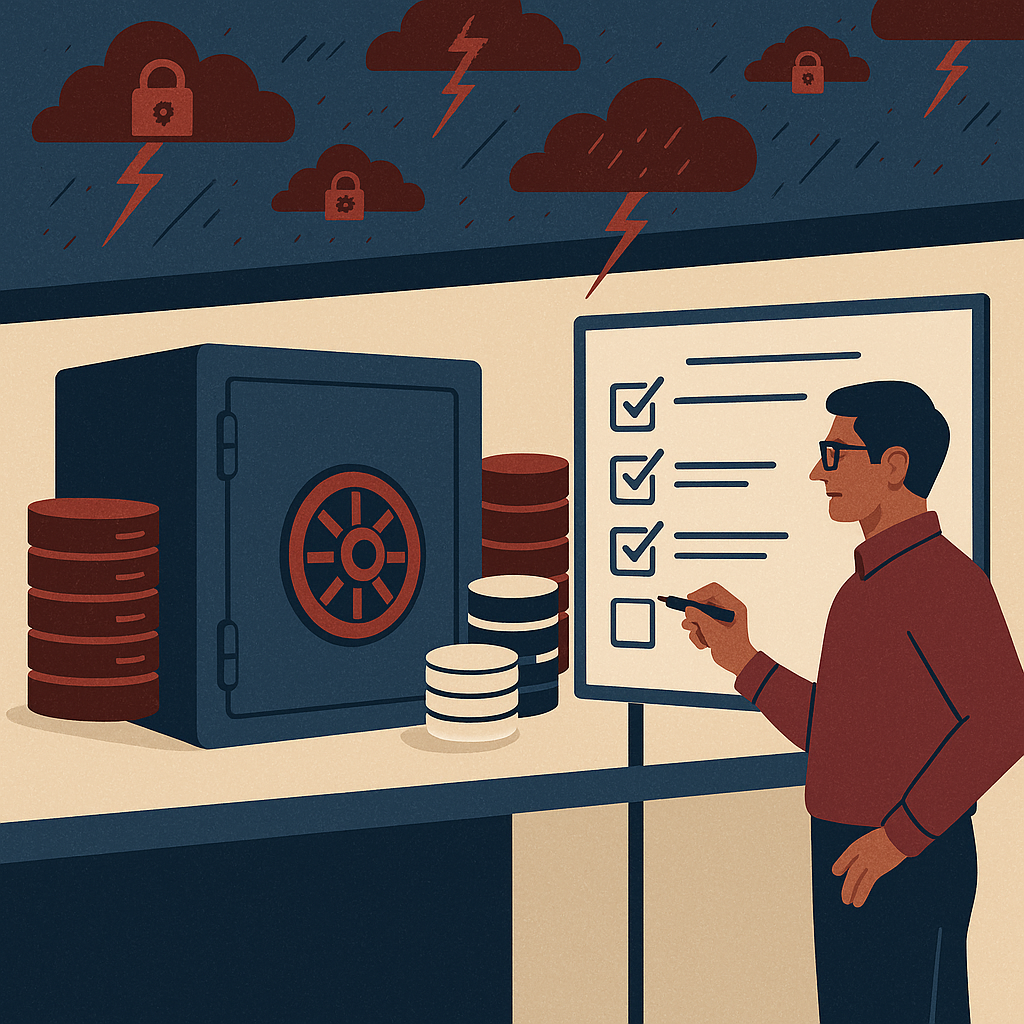
Enterprise workflows have become more complex and more scrutinized at the same time. Hybrid work has pushed approvals and document collaboration into digital channels. Regulators expect stronger controls, clearer audit trails, and faster response to audits. Cybersecurity risks have increased, making it dangerous to manage sensitive documents through unsecured sharing and ad-hoc access.
Meanwhile, business pressure hasn’t eased: shorter delivery cycles, tighter budgets, and higher customer expectations require operational efficiency. Workflow automation helps by reducing manual coordination, increasing throughput, and ensuring each step is compliant by design.
A practical way to think about it
If your process depends on “who remembers what” and “who follows up,” you don’t have a process—you have a set of habits. Workflow automation replaces habits with a governed, measurable system that scales.
Key challenges enterprises face (card blocks)
1) Approval bottlenecks and unclear ownership
Requests move through email chains with no single source of truth. Escalations happen late. Delegation during leave periods is manual, causing delays and rework.
Decision-maker lens:
If cycle time varies widely for the same process, the organization is paying a “variance tax” in labor, lost revenue, and risk.
2) Document sprawl and version confusion
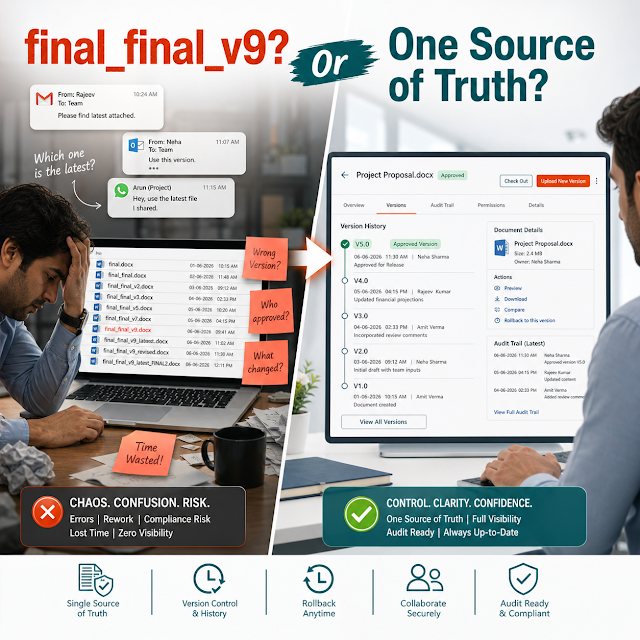
Multiple copies of contracts, SOPs, invoices, and evidence files exist across shared drives and local machines. Teams waste time validating which version is “final.”
Business impact:
Version mistakes directly create compliance gaps, payment disputes, and customer dissatisfaction.
3) Manual compliance and audit preparation
Evidence collection is reactive. Audit trails are incomplete. Policy enforcement depends on training rather than embedded controls.
Compliance lens:
The cost of compliance is highest when it is a separate activity rather than a built-in workflow outcome.
4) Limited visibility and weak metrics
Leadership can’t reliably answer: Where is the work stuck? How long does each step take? Which teams are overloaded? Without process telemetry, improvement becomes guesswork.
Ops lens:
You can’t optimize what you can’t measure—workflow automation creates measurable throughput and accountability.
5) Security and access control inconsistencies
Sensitive documents are shared via email attachments or open links. Access is rarely aligned to role, least privilege, or retention policies.
CTO lens:
Security is not a separate toolset; it must be inherent to content and workflow design.
Risks of not automating
- Compliance exposure: Missing approvals, incomplete audit trails, improper retention, or inability to produce evidence quickly.
- Operational drag: Increased cycle time, more handoffs, and high dependency on “process champions.”
- Financial leakage: Late invoicing, missed discounts, duplicate payments, contract value erosion, and higher cost-to-serve.
- Security incidents: Uncontrolled document sharing, orphaned access, and sensitive data in inboxes.
- Strategic stagnation: Lack of standardized processes makes scaling, M&A integration, and system modernization harder.
Deep-dive: What workflow automation really means in an enterprise
Workflow automation is often misunderstood as “moving paper forms online” or “adding approvals.” Modern enterprise automation is broader: it connects content (documents, records, attachments), tasks (review, approve, sign, validate), policies (retention, access, segregation of duties), and integrations (ERP, CRM, HRMS, email, identity providers).
A workflow has five pillars
1) Trigger: A request is created (e.g., vendor onboarding, contract approval, CAPA, invoice processing).
2) Routing: The work moves to the right role or individual, with escalation rules and delegation.
3) Data + content: Forms, metadata, and documents stay together, versioned, and searchable.
4) Controls: Role-based access, mandatory steps, approval thresholds, e-sign, and audit trails are enforced.
5) Outcome: The workflow produces a compliant artifact (approved contract, audited invoice, released SOP) and captures evidence for reporting.
Practical scenarios decision-makers recognize
Scenario A: Contract approvals across legal, finance, and business owners. Without automation, contract versions circulate through email. Risk clauses can be changed without visibility. With workflow automation, every revision is version-controlled, reviewers are assigned by rule (region, value, customer type), and approvals are time-bound with an audit trail.
Scenario B: Purchase-to-pay (P2P) invoice processing. Manual matching and approvals lead to late payments, duplicate invoices, and missed early-payment discounts. Automated workflows route invoices based on vendor, amount, cost center, and exception conditions—while preserving evidence for audits.
Scenario C: SOP and policy management. Policy updates require controlled review cycles, acknowledgements, and retention. Workflow automation ensures only the latest approved version is published, captures sign-offs, and maintains compliance history.
Solution approach: How to build enterprise-grade workflow automation
The most successful programs start with business outcomes, not features. A modern approach focuses on standardizing key workflows, securing content, and creating a governance model that survives org changes.
A decision-ready framework
Step 1: Identify high-impact workflows. Start with processes that are frequent, risky, or cross-functional (contracts, vendor onboarding, invoice approvals, policy control, CAPA).
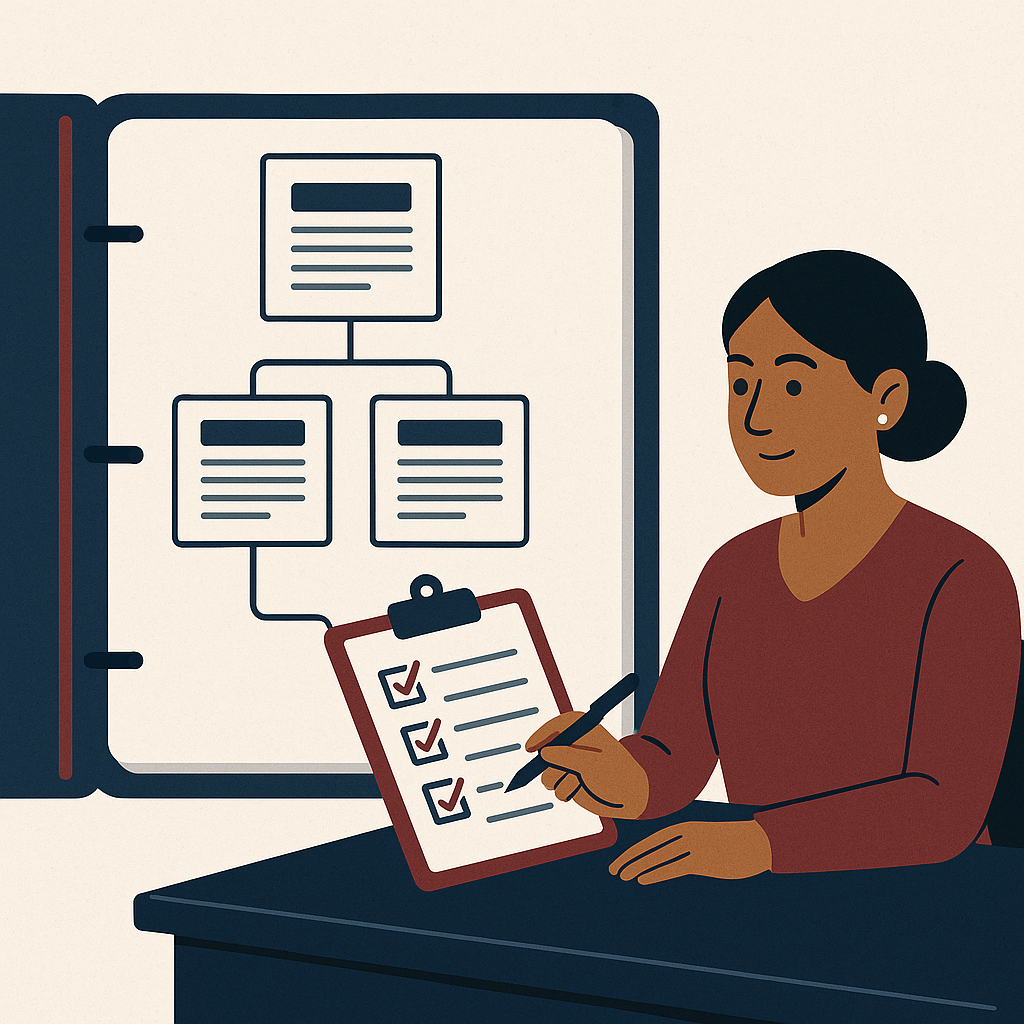
Step 2: Map controls and compliance requirements. Define audit trail needs, retention rules, access boundaries, and segregation of duties before designing screens.
Step 3: Standardize metadata. Agree on document types, indexes, tags, and naming conventions to unlock searchability and reporting.
Step 4: Design routing rules. Route by role, value thresholds, exceptions, and regional policies. Add escalation, SLAs, and fallback routes.
Step 5: Integrate where it matters. Connect identity (SSO), notifications, and core systems (ERP/CRM) so work happens with minimal context switching.
Step 6: Instrument the process. Track cycle time, exception rates, and bottlenecks. Use dashboards to sustain continuous improvement.
Feature breakdown (DIV cards)
Configurable workflows & approvals
Build multi-step workflows with parallel reviews, conditional routing, thresholds, and escalation—without relying on fragile email chains.
Outcome:
Predictable cycle time and consistent governance.
Document control (DMS/ECM foundations)
Centralize documents with version control, check-in/check-out, metadata, and controlled sharing to prevent sprawl and rework.
Outcome:
Single source of truth for regulated and business-critical content.
Audit trails & compliance evidence
Automatically capture who did what, when, and why. Maintain immutable history for approvals, edits, access, and decisions.
Outcome:
Faster audits and lower compliance burden with defensible records.
Role-based security & access governance
Enforce least privilege, prevent unauthorized downloads/shares, and maintain secure access aligned to departments and job roles.
Outcome:
Reduced data leakage risk with enforceable policy controls.
Searchable content & fast retrieval
Combine structured metadata with full-text search to retrieve contracts, invoices, evidence, and SOPs in seconds.
Outcome:
Lower cycle time and less dependency on individuals to “find files.”
Dashboards, SLAs & analytics
Track bottlenecks, workload distribution, and performance against SLAs. Turn workflow data into operational insights.
Outcome:
Continuous improvement backed by real process metrics.
Traditional vs modern workflow automation (DIV cards)
Traditional (Email + Spreadsheets)
Visibility: Status is scattered across inboxes.
Control: Steps are skipped under pressure.
Audit: Evidence is reconstructed manually.
Security: Attachments proliferate across devices.
Scaling: Every new team reinvents the process.
Modern (DMS/ECM + Workflow Engine)
Visibility: Real-time dashboards and ownership.
Control: Policy-aligned routing, SLAs, and gates.
Audit: Built-in trails and defensible records.
Security: Role-based access and centralized governance.
Scaling: Templates and standardized process models.
Industry use cases (what leaders automate first)
Manufacturing & Engineering
Automate SOP control, quality deviations, CAPA workflows, vendor documentation, and equipment maintenance records to improve traceability and reduce downtime.
Finance & Shared Services
Automate invoice approvals, payment request validations, expense policy checks, and month-end close evidence collection—reducing exceptions and speeding up approvals.
Healthcare & Life Sciences
Automate controlled document workflows, training acknowledgements, incident reporting, and compliance evidence tracking—ensuring only approved versions are in use.
Banking, Insurance & BFSI
Automate KYC document handling, customer onboarding, claims processing, and internal policy governance with strict access controls and complete audit history.
IT & Corporate Governance
Automate change request approvals, access request workflows, vendor risk reviews, and policy lifecycle management—standardizing controls across the enterprise.
Implementation perspective: What an enterprise rollout should look like
Implementations fail when automation is treated as a one-time IT project rather than an operating capability. A strong rollout balances speed with governance.
A practical rollout plan
- Pick 1–2 workflows with clear owners: Example: contract approvals or invoice routing.
- Define governance: Who owns templates, routing rules, access models, and retention policies.
- Set success metrics: Cycle time reduction, exception rate, audit retrieval time, SLA adherence.
- Design the information model: Document types, metadata, naming conventions, and taxonomy.
- Integrate identity & notifications first: SSO and role mapping reduce friction and risk.
- Run a pilot with real constraints: Include exceptions, escalations, and out-of-office scenarios.
- Scale using templates: Reuse patterns across departments while keeping local compliance needs.
Common decision points (what leaders should ask)
Will this reduce audit effort? Look for immutable audit trails, controlled versions, and fast evidence retrieval.
Can we enforce policy, not just document it? Role-based access, approvals, and retention must be built-in.
How will it scale? Evaluate template-driven deployment, admin controls, and analytics.
Does it reduce security exposure? Centralized sharing controls, access logs, and least privilege are essential.
Business impact & ROI (how to justify workflow automation)
Workflow automation ROI typically comes from a combination of direct labor savings, faster cycle times, reduced error rates, and lower compliance exposure. The strongest business cases combine operational and risk outcomes rather than focusing on productivity alone.
Cycle time compression
Shorter approval cycles accelerate revenue recognition (contracts), reduce late fees (payments), and improve customer experience (service workflows).
Reduced rework and exceptions
Standardized routing and required fields reduce missing information, duplicate submissions, and back-and-forth between teams.
Audit efficiency & risk reduction
Faster evidence retrieval, consistent approvals, and traceable changes reduce audit time and limit regulatory or contractual exposure.
For Finance leaders, a straightforward model is to quantify: (1) volume per month, (2) minutes saved per transaction, (3) fully loaded labor rate, and (4) reduction in exceptions or penalties. For Compliance, quantify audit preparation time and the cost of remediation. For Ops, quantify throughput, SLA adherence, and backlog reduction.
Future readiness: AI search, intelligent routing, and automation at scale
Modern enterprises are moving from rule-only automation to “automation plus intelligence.” The goal is not to replace governance, but to augment it—improving discoverability, reducing manual classification, and prioritizing work intelligently.
Where AI strengthens workflow automation
AI-assisted search: Faster retrieval using natural language queries across documents, metadata, and workflow history.
Auto-classification: Suggest document types, tags, and retention categories to improve governance at scale.
Exception prediction: Identify patterns that cause delays (missing fields, common rejection reasons) and reduce rework.
Decision support: Summaries of prior approvals, policy references, and clause comparisons to make reviews faster.
The most future-ready strategy pairs an ECM/DMS foundation (secure content, retention, audit trails) with workflow orchestration (approvals, routing, SLAs) and adds AI search capabilities for faster discovery—without compromising security or compliance.
FAQs
1) What is the difference between workflow automation and business process management (BPM)?
Workflow automation focuses on executing tasks, routing, approvals, and content handling. BPM is broader and may include process modeling, optimization, and enterprise-wide governance. Many organizations start with workflow automation in high-impact areas and evolve into BPM practices.
2) Which workflows should we automate first?
Prioritize workflows that are frequent, cross-functional, or compliance-heavy—such as contract approvals, invoice processing, policy/SOP control, vendor onboarding, and audit evidence management. Choose a workflow with a clear owner and measurable KPIs.
3) How does workflow automation improve compliance?
It embeds controls into the process: required steps, role-based approvals, version control, time-stamped audit trails, and retention rules. This shifts compliance from “after-the-fact documentation” to “by-design execution.”
4) Can we automate workflows without replacing our ERP/CRM?
Yes. A practical approach is to integrate workflows with existing systems for identity, notifications, and key data exchange—while managing documents, approvals, and audit trails in a secure workflow platform.
5) What should we demand from an enterprise-ready solution?
Look for centralized document control, configurable workflows, strong security (RBAC), complete audit trails, retention/records management alignment, reporting dashboards, and scalability through templates—plus future-ready search and AI-assisted discovery.
Ready to standardize approvals, secure documents, and speed up execution?
Workflow automation delivers the biggest results when content, controls, and routing work together. If your teams are still chasing approvals in email and rebuilding audit evidence manually, it’s time to modernize with a governed, scalable workflow and document management approach.
Tip for leaders: Ask for a pilot that proves cycle-time reduction, audit readiness, and policy enforcement—not just a demo of screens.
workflow automation for enterprises, enterprise content management ECM, document management system DMS, workflow automation software, approval workflow, compliance workflow automation, audit trail, secure document workflows, records retention, AI search for documents, intelligent workflow routing, operational efficiency, governance risk compliance, document version control, workflow analytics dashboards