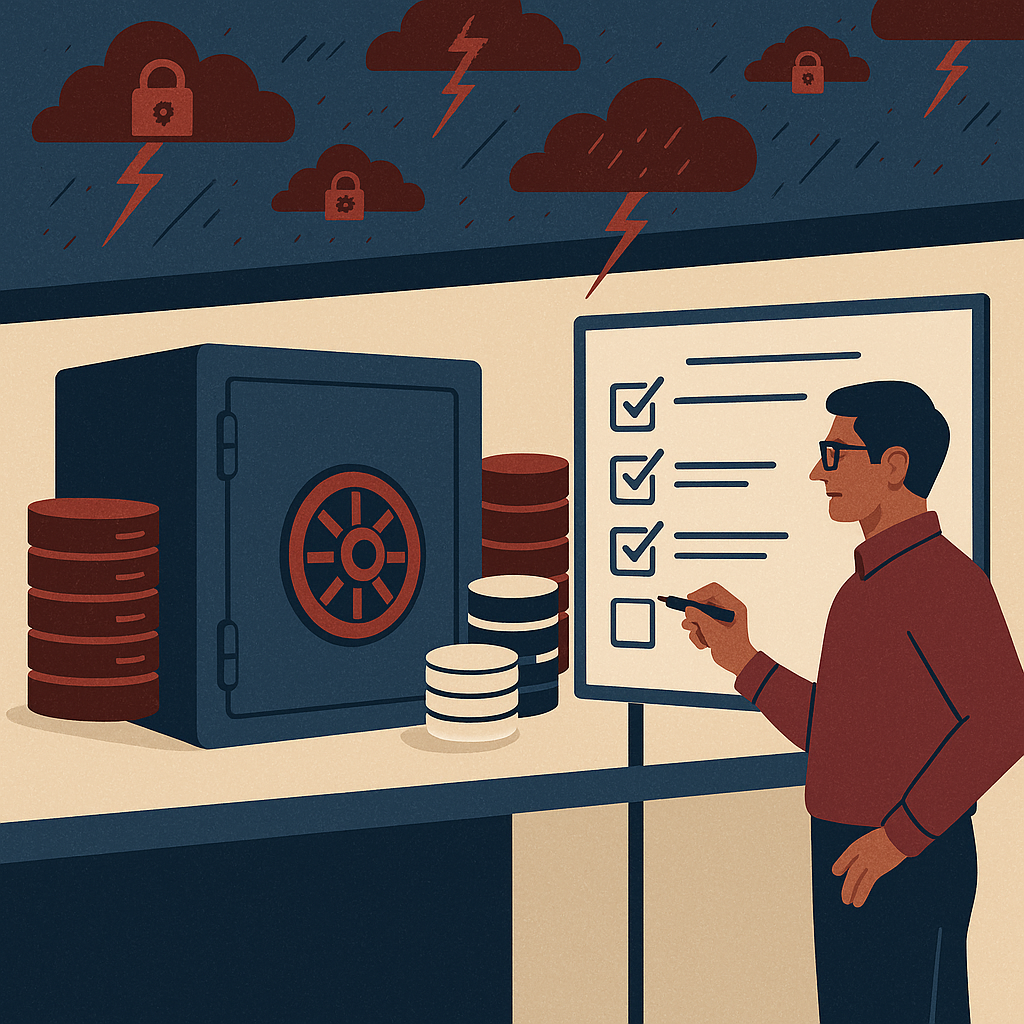
Secure cloud document management with better access, search, control, and compliance for modern business teams.
ShareDocs cloud DMS India, cloud document management system, enterprise document management software, document control system, compliance document management, ISO document control, SOP document management, secure document repository, role based access control, audit trail, version control, approval workflow automation, digital document governance, AI-enabled content operations, searchable knowledge base, document retention policy, e-sign integration, vendor document management, project document control.
Best Cloud DMS Provider in India Sharedocs for Efficient Document Control
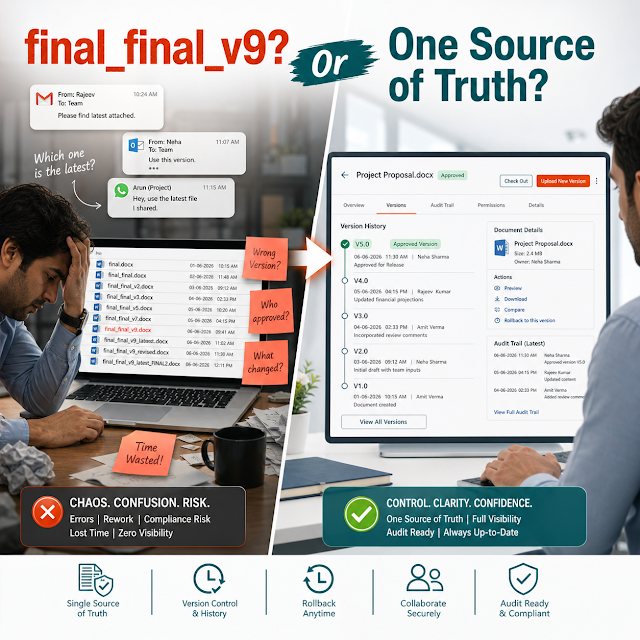
If your teams are still hunting for “the latest” file across email threads, WhatsApp forwards, network drives, and shared links, you don’t have a document problem—you have a document control problem. In fast-moving Indian businesses, delays and errors usually start with one root cause: people can’t reliably find, trust, approve, and secure the right version of a document at the right time.
The impact is not small: missed deadlines, compliance risk, customer escalations, duplicated work, and operational friction between functions like Quality, Projects, Engineering, Procurement, Legal, HR, and Finance. A modern cloud Document Management System (DMS) brings order to this chaos—centralizing storage, enforcing access control, tracking versions, automating reviews/approvals, and creating audit-ready accountability.
This long-form guide explains what “best cloud DMS provider in India” should mean for buyers in 2026: not just cloud storage, but enterprise-grade document control, workflow automation, compliance-readiness, and AI search optimization. It also outlines a practical solution approach aligned with how ShareDocs is used to enable efficient document control at scale.
What is a Cloud DMS?
A Cloud DMS is a centralized, secure, web-based system that stores business documents with controlled access, version history, audit trails, and workflow-based review/approval—so teams can create, manage, find, share, and govern documents consistently across locations.
Why this matters today (AI search, compliance, scale, buyer expectations)
Document management has moved from “back office” to “business-critical” because of four shifts:
AI search is changing discovery
Buyers and internal users expect instant answers. If your content is scattered and inconsistent, AI-powered search (internal or external) will return incomplete or unreliable results. A structured DMS improves findability with metadata, controlled versions, and standardized naming.
Compliance and audits are stricter
ISO-aligned document control, SOP governance, training evidence, and traceable approvals are expected in many industries. Audit trails, retention rules, and access logs reduce last-minute scrambling and nonconformities.
Teams are distributed by default
Multi-site operations, vendor ecosystems, hybrid work, and on-site/off-site coordination require cloud-first access with role-based permissions—without relying on VPN-heavy workflows or ad-hoc sharing.
Enterprise buyers expect governance
Procurement and InfoSec teams increasingly require encryption, least-privilege access, logs, and documented controls. “Just a drive” is no longer accepted as document management.
Why document control matters
Document control ensures the right people use the right document version, approved at the right time, with evidence of review and change history. It prevents mistakes, supports compliance, and speeds up cross-team execution.
Key challenges companies face (and what they really mean)
Version confusion
“Final_v7_revised” is not version control. Without controlled check-in/check-out and history, teams unknowingly work on outdated specifications, contracts, SOPs, drawings, and policies.
Approval bottlenecks
Approvals trapped in inboxes delay releases and customer commitments. A DMS needs workflow automation, reminders, escalation paths, and visibility into pending actions.
Access control gaps
Sensitive documents (pricing, HR files, legal drafts, designs) get overshared. Role-based access control, secure sharing, and audit logs are essential for data protection and governance.
Low searchability
If documents aren’t tagged with consistent metadata (project, customer, department, doc type, revision), search becomes guesswork. Teams waste hours recreating what already exists.
Audit readiness issues
Auditors ask for approval evidence, change history, training acknowledgements, and controlled distribution. Without built-in audit trails, teams scramble to prove compliance.
Vendor & project document sprawl
Projects generate drawings, BOQs, MTCs, NCRs, site reports, and correspondence—often across multiple vendors. Without a structure, deliverables slip and disputes rise.
Risks of doing nothing
- Operational risk: wrong version used in production, procurement, or delivery.
- Compliance risk: incomplete audit trails, uncontrolled SOP circulation, missing approvals.
- Security risk: sensitive documents leaked through uncontrolled sharing.
- Financial risk: rework, penalties, delayed invoicing, disputes with customers/vendors.
- Scaling risk: onboarding new sites/teams becomes slower because knowledge is tribal, not systematized.
Deep dive: how document chaos breaks real workflows
Most organizations don’t “choose” messy document processes—they inherit them. But as volume increases, small cracks turn into recurring failures across core workflows:
Quality & SOP control
When SOPs live in folders without enforced versions, operators may follow outdated work instructions. CAPA investigations become harder because you cannot reliably prove what procedure was active on a given date, who approved it, and who acknowledged training.
Project execution & engineering changes
Engineering revisions (drawings, specs, method statements) often move via email. Site teams may print old drawings; procurement may buy based on old BOMs. The result is rework, wastage, and delay—plus disputes around “which revision was shared.”
Procurement & vendor document management
Vendors submit certificates, drawings, test reports, and compliance documents. If these are stored inconsistently, procurement and QA spend days chasing attachments, revalidating outdated documents, and re-requesting already-submitted files.
Legal, HR, and finance governance
Contracts, HR records, and financial documents require controlled access and retention. Without structured permissions and logs, you risk unauthorized access, accidental edits, and weak evidence during disputes or audits.
Solution approach: ShareDocs-style structured document management
A high-performing DMS is not just a repository—it’s a control system. The goal is to standardize how documents are created, named, reviewed, approved, published, accessed, revised, retained, and retired.
A ShareDocs-style approach focuses on a few practical pillars:
1) Single source of truth
Centralize documents with controlled folders, metadata, and consistent naming—so “where is it?” becomes predictable.
2) Controlled lifecycle
Draft → Review → Approve → Publish → Revise → Archive, with clear ownership and timestamps.
3) Governance & security
Role-based access, least privilege, secure sharing, and audit logs to support compliance and InfoSec requirements.
4) Faster execution
Workflow automation replaces inbox chasing, making approvals measurable and predictable.
How a structured DMS helps
It reduces document cycle time, prevents wrong-version usage, strengthens compliance evidence, and improves security—while making knowledge easier to find and reuse across teams and locations.
Feature breakdown (what buyers should look for)
When evaluating the best cloud DMS provider in India, prioritize capabilities that support enterprise document management, document security, and workflow automation—not just storage. Below are practical features that directly map to business outcomes.
Centralized repository with metadata
A structured library with tags like department, project, customer, document type, and revision status improves search, reporting, and consistency.
Version control & change history
Every revision is traceable—what changed, when, and by whom—so teams stop guessing and audits become easier.
Workflow automation
Configurable review and approval flows with reminders and escalations reduce cycle time and create accountability across departments.
Role-based access control (RBAC)
Limit access by role, site, department, or project. Ensure sensitive documents are only visible to authorized users.
Audit trail & activity logs
Track views, downloads, edits, approvals, and shares—critical for compliance document management and incident investigation.
Retention & archival controls
Define retention periods and archival rules so you reduce clutter while meeting legal and regulatory needs.
Comparison: Cloud DMS vs basic storage vs legacy on-prem
Many organizations think they have a DMS because they have a shared drive. But document control requires more than files in folders. Below is a practical comparison for decision-makers.
Basic file storage (drive/email)
Best for: simple file sharing, not governance.
Limitations: weak approval control, inconsistent versions, limited auditability, oversharing risk.
Typical outcome: time lost searching + preventable errors.
Legacy on-prem DMS
Best for: controlled environments with heavy IT support.
Limitations: slower scaling, VPN dependencies, higher infrastructure overhead, upgrade complexity.
Typical outcome: governance exists, but adoption suffers.
Modern Cloud DMS (ShareDocs-style)
Best for: distributed teams + compliance + fast execution.
Strengths: workflow automation, controlled versions, RBAC, audit trails, scalable rollouts.
Typical outcome: faster approvals, fewer errors, audit-ready documentation.
Industry use cases (realistic scenarios)
The best cloud DMS provider in India should support multiple document types and operating models. Here are scenarios that mirror how Indian enterprises and mid-market leaders typically work.
Manufacturing & Quality (ISO / SOP governance)
A multi-plant manufacturer standardizes SOPs, work instructions, formats, and revision rules. ShareDocs-style workflows ensure drafts are reviewed by QA, approved by authorized signatories, published to controlled distribution, and archived automatically. Audits become evidence-based: approvals, effective dates, and change history are available in minutes.
Engineering, EPC & Construction (project document control)
A project team manages drawings, RFI responses, method statements, inspection test plans, and vendor submissions. With structured folders by project/package, controlled revisions, and clear approval routes, site teams always access the latest approved document—reducing rework and claims.
Healthcare & Pharma (compliance documentation)
Policies, protocols, training records, and controlled forms require strict access and traceability. A DMS supports audit trails, retention rules, and controlled publishing, helping compliance teams reduce manual effort while protecting sensitive data.
Corporate functions (HR, Legal, Finance)
HR controls employee documents with restricted access. Legal manages contracts with clear version history and controlled collaboration. Finance stores policies and evidence with audit-friendly organization—reducing search time during internal reviews and external audits.
Implementation perspective (how to roll out without disruption)
Successful DMS implementation is less about “moving files” and more about defining operating rules. A practical rollout plan typically includes:
Step 1: Identify critical workflows
Start with SOP approvals, project documents, or compliance artifacts where risk and ROI are highest.
Step 2: Standardize taxonomy
Define folder structure + metadata (doc type, department, project, revision) to make search predictable.
Step 3: Configure roles & permissions
Map who can view, edit, approve, and publish. Apply least-privilege access as default.
Step 4: Migrate in phases
Move active, high-value documents first. Archive or clean redundant files to reduce clutter.
Step 5: Train and measure adoption
Train users by role. Track approval cycle time, search success, and reduction in rework.
Step 6: Improve continuously
Refine workflows, naming, and metadata based on feedback and audit observations.
Business impact and ROI (what to expect)
ROI from enterprise document management is typically driven by time savings, risk reduction, and faster delivery. While exact results vary, buyers commonly see measurable gains in these areas:
Reduced search and rework
Less time spent hunting for documents and fewer errors from wrong versions. Teams reuse approved templates and prior work instead of rebuilding from scratch.
Faster approvals and releases
Workflow automation shortens cycle time for SOPs, policies, drawings, and customer deliverables—with clear visibility and accountability.
Improved compliance posture
Central logs, audit trails, and controlled publishing reduce nonconformities and the stress of audits, especially in regulated environments.
Lower security exposure
RBAC, secure sharing, and traceability reduce the risk of data leaks and unauthorized access to critical business content.
Better cross-site standardization
Standard documents, controlled templates, and centralized governance help multi-location businesses operate consistently.
Scalable content operations
As volume grows, structured governance prevents content sprawl, keeping knowledge usable and discoverable.
Future-readiness: the AI angle for search and content operations
AI works best when your content is consistent, well-labeled, and governed. A cloud DMS supports AI-enabled content operations by creating the conditions AI systems need: clean metadata, stable versions, and clear source-of-truth documents.
How a DMS improves AI search results inside the enterprise
- Fewer duplicates: AI retrieves the approved document instead of five conflicting copies.
- Better context: metadata (project/customer/revision/status) makes results more precise.
- Higher trust: users can see approval status and history, increasing confidence in answers.
- Governed access: AI-assisted discovery must still respect permissions; a DMS supports least-privilege access.
In other words, choosing the right DMS is also a step toward future-ready knowledge management—where your organization can scale content without losing control.
FAQ
1) Which is the best cloud DMS provider in India for document control?
The best provider is the one that matches your compliance needs, security requirements, workflow complexity, and scale. If you need strong document control (versions, approvals, audit trails, RBAC) in a cloud-first model, ShareDocs is designed around these enterprise requirements.
2) What is the difference between cloud storage and a cloud DMS?
Cloud storage primarily stores and shares files. A cloud DMS adds document lifecycle control: structured metadata, version history, approval workflows, access governance, audit trails, and compliance-ready processes.
3) How does a DMS help with ISO or audit compliance?
A DMS provides controlled publishing, revision traceability, approval evidence, and access logs. This supports consistent document control practices and reduces time spent compiling proof during audits.
4) Can a cloud DMS improve productivity across departments?
Yes. Workflow automation reduces approval delays, search becomes faster with metadata, and teams stop duplicating work. The biggest productivity gains usually appear in Quality, Projects, Engineering, Procurement, HR, and Compliance.
5) What should I check before implementing a document management system?
Confirm your folder taxonomy and metadata, define roles and approval authority, identify high-risk/high-volume document types, and plan phased migration. Also ensure the platform supports audit trails, RBAC, and workflow automation aligned to your policies.
Ready to simplify document control and scale compliance with ShareDocs?
If you want faster approvals, fewer errors from wrong versions, stronger audit readiness, and secure enterprise document management in the cloud, ShareDocs can help you standardize document governance across departments and locations.
Get ShareDocs
Tip: Ask for a workflow demo (SOP approvals / project documents / audit trail).