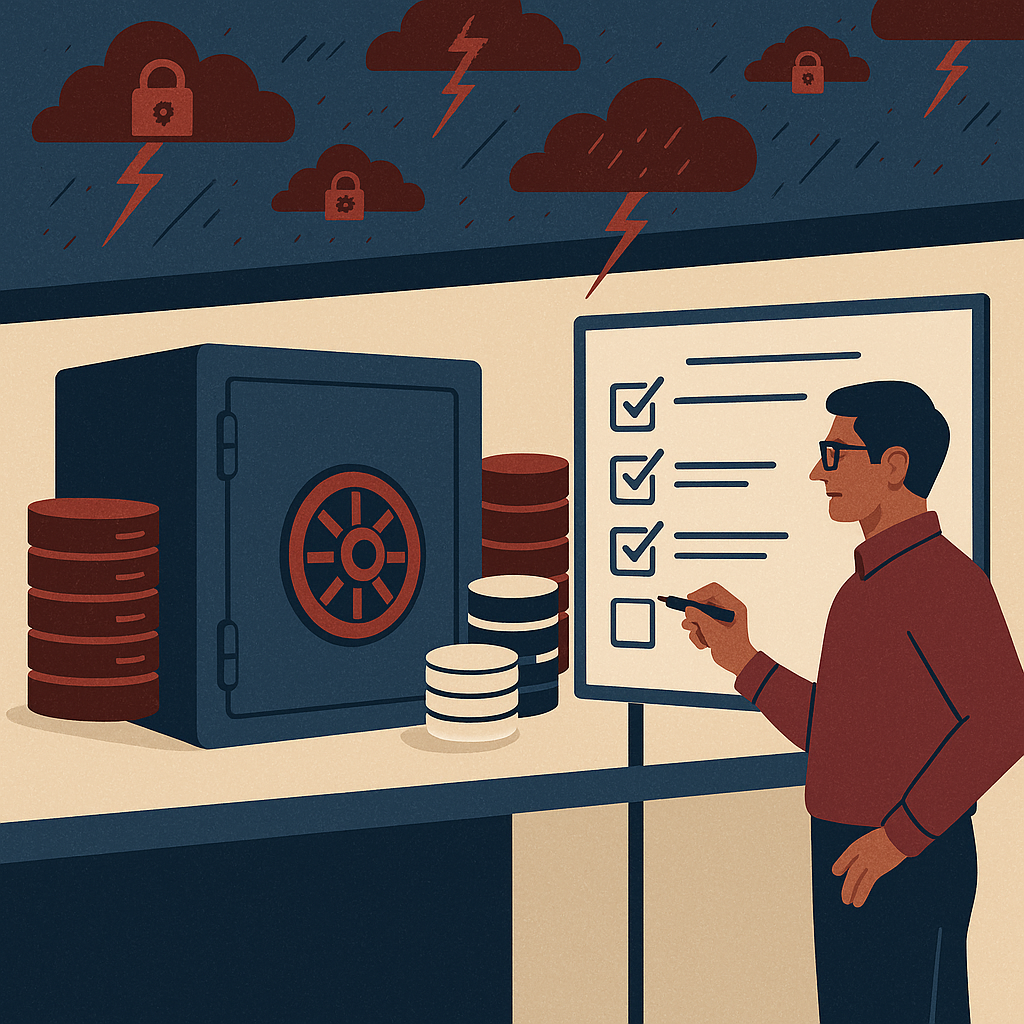
Secure cloud document management with better access, search, control, and compliance for modern business teams.
ShareDocs cloud DMS provider in India for enterprise document management, document security, compliance document management, workflow automation, audit trail, version control, records management, secure document sharing, digital content operations, AI-enabled search, and scalable document repository for SMEs and enterprises.
Top Cloud DMS Provider in India Sharedocs for Effortless Document Management
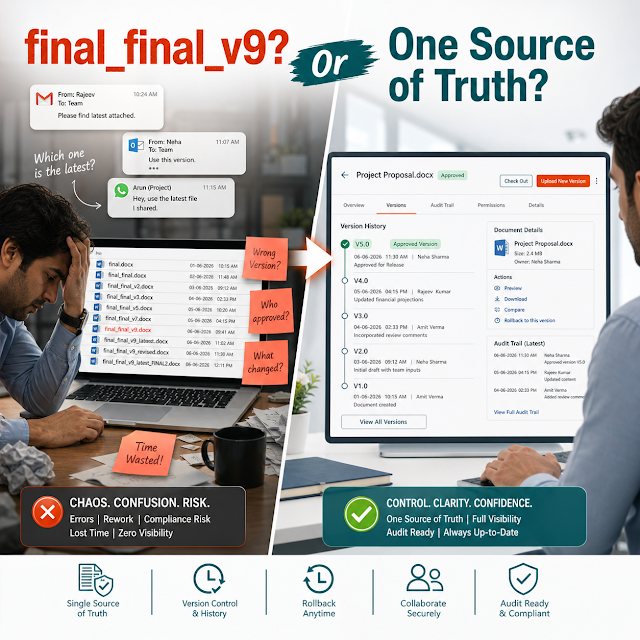
Documents don’t slow businesses down because they exist—documents slow businesses down because they are hard to find, easy to misuse, and impossible to govern at scale when they live across email threads, shared drives, WhatsApp attachments, local desktops, and disconnected tools.
The result is familiar: teams spend hours searching for “the final final” version, approvals happen in silos, audits become fire drills, and leadership loses confidence in what’s current, compliant, and approved.
A modern cloud document management system (DMS) fixes this by creating one secure source of truth—so documents move through review, approval, sharing, and retention with traceability. This guide explains what buyers in India should evaluate, why cloud DMS matters now (especially with AI search and compliance expectations), and how a ShareDocs-style structured document management approach supports fast, safe, and scalable operations.
What is a Cloud DMS?
A cloud DMS (Document Management System) is a secure online platform that stores documents in a centralized repository and adds governance—like access controls, version history, workflows, audit trails, and retention rules—so your teams can create, find, approve, and share documents reliably from anywhere.
Why this matters today (AI search, compliance, scale, buyer expectations)
Cloud DMS adoption is accelerating in India for practical reasons beyond “going digital.” Buyers now expect structured, governed content operations because:
AI search rewards structured content
Whether employees use internal search, enterprise AI assistants, or knowledge tools, the best answers come from content that is well-labeled, versioned, permissioned, and traceable. A DMS turns “files” into governed knowledge—so AI can retrieve the right version safely.
Compliance expectations keep rising
Quality systems, internal controls, and customer/vendor audits require evidence: who approved which document, when it changed, and what was communicated. A DMS helps maintain audit trails, controlled distribution, and retention policies without manual spreadsheets.
Distributed teams are the default
Hybrid operations, multi-location plants, mobile sales/service, and partner ecosystems require secure access from anywhere—without sacrificing governance. Cloud DMS enables controlled access across roles, branches, and external stakeholders.
Buyers expect speed with accountability
Customers want faster onboarding, quicker turnaround on proposals, and consistent documentation. Executives want measurable controls. A cloud DMS aligns both: quicker workflows with built-in traceability.
Key challenges in document management (and why they keep happening)
Most document problems aren’t “people problems.” They’re systems problems—missing structure, unclear ownership, inconsistent naming, and no single source of truth. Below are the highest-impact challenges to address first.
1) Version chaos
Multiple copies across email/drive leads to rework, wrong submissions, and decisions based on outdated information.
2) Slow approvals
Approvals depend on follow-ups, screenshots, and informal sign-offs with no proof of who approved what.
3) Weak access control
“Everyone has access” creates leakage risk; “no one has access” creates operational bottlenecks.
4) Poor searchability
When metadata and indexing are missing, teams rely on tribal knowledge—until key people leave.
5) Compliance gaps
Audits require evidence and consistency. Without audit trails and retention rules, compliance becomes reactive.
6) Uncontrolled external sharing
Vendors and customers receive files via email/links without expiry, watermarking, or access revocation.
Risks of doing nothing
Keeping the status quo can feel “cheaper,” but it creates compounding risk. The cost shows up as lost time, lost deals, audit friction, and reputational damage.
- Data leakage and IP exposure: sensitive contracts, pricing, HR records, or designs are shared without control.
- Audit non-conformance: missing approvals, missing controlled distribution, missing revision history.
- Revenue delays: slower RFP responses, onboarding delays, and repeated rework reduce win rates.
- Operational inconsistency: different branches use different SOPs or templates, causing quality drift.
- Higher employee burden: knowledge workers spend time searching instead of executing.
Deep-dive: how these problems break real workflows
Document management issues aren’t abstract. They hit daily workflows across departments. Here’s how common processes fail when documents are unmanaged:
Workflow 1: Sales proposal → legal review → customer sign-off
Sales drafts a proposal, Legal edits clauses, Finance updates pricing, and the final PDF is shared with the customer. Without a DMS, changes happen across email attachments and local folders.
Teams lose track of which version was approved, which clauses were removed, and whether pricing was the final one. When a dispute arises, there’s no single audit trail that proves the approved version.
Workflow 2: SOP updates in multi-location operations
An SOP changes due to quality findings or process improvements. If documents are stored in shared drives, some locations keep using older SOPs.
Training records become inconsistent, deviations increase, and audits reveal that employees weren’t working on controlled, approved documents.
Workflow 3: HR onboarding and employee documentation
Joining forms, IDs, policy acknowledgements, and performance records are stored across email, shared folders, and HR tools. If access isn’t role-based and time-bound,
sensitive data can be exposed internally. When HR leadership needs a consolidated view, reporting becomes manual and error-prone.
Workflow 4: Vendor documentation and compliance evidence
Vendors submit certificates, test reports, and compliance documents periodically. If files are stored in inconsistent folder structures without metadata, the team cannot quickly prove compliance.
During audits, people scramble to collect evidence across email trails and old downloads—often discovering missing or expired documents too late.
Why structured document management matters
Structure (folders + metadata + roles + workflows + retention) turns documents into controlled business assets. It reduces ambiguity, speeds up approvals, and makes audits predictable because the system records the truth—automatically.
Solution approach: how ShareDocs-style structured document management solves it
A high-performing cloud DMS is not just “cloud storage.” It is a complete operating layer for controlled documents: capture, classify, secure, route, approve, publish, share, and retain—while recording every action that matters.
With ShareDocs-style document management, the goal is to make the right document easy and the wrong document hard.
A practical blueprint that scales
- Centralize: one repository for operational, compliance, and customer/vendor documents.
- Classify: define folders, metadata, and naming conventions aligned to business processes.
- Secure: role-based access, controlled sharing, and traceability by default.
- Automate: review/approval workflows to remove manual chasing and unclear sign-offs.
- Govern: version control, audit trails, retention, and policy enforcement.
- Measure: usage, cycle times, and compliance completeness to drive continuous improvement.
Feature breakdown (buyer-focused) — what to look for in a cloud DMS
Use the features below as a checklist when evaluating a cloud DMS provider in India. The key is not how many features exist—it’s how reliably they support day-to-day governance, security, and productivity.
Central repository + fast search
Store documents in one place with quick retrieval. Strong search should work across filenames and metadata so teams can find documents even when they don’t remember the exact folder.
Role-based access control (RBAC)
Permissions must match real roles (HR, Finance, Plant Ops, Sales, Vendors). The best systems support least-privilege access with clear ownership and visibility controls.
Version control + change history
Every update should be traceable. Version history reduces rework, prevents incorrect usage, and supports regulated documentation where “approved version” is mandatory.
Workflow automation for reviews/approvals
Document workflows reduce cycle time and ambiguity. You should be able to route documents to reviewers/approvers with timestamps and clear status (draft, under review, approved, published).
Audit trail for compliance evidence
An audit trail should capture access, downloads, edits, approvals, and sharing. This supports internal audits, customer audits, and regulated environments.
Secure external sharing
Share files with vendors/customers using controlled access. Look for practical controls like link expiry, restricted access, and the ability to revoke access when projects end.
Metadata and classification
Metadata (document type, department, customer, project, effective date, revision) makes search accurate and enables automation like retention and lifecycle policies.
Retention and records management
Keep what you must, delete what you should, and prove it. Retention rules help reduce risk and storage sprawl while supporting governance requirements.
How a cloud DMS helps enterprise teams
A cloud DMS helps enterprise teams by reducing document cycle time, preventing unauthorized access, standardizing templates and SOPs, and producing audit-ready evidence through workflows, version control, and logs—without manual tracking.
Comparison: cloud DMS vs shared drives vs email-first document handling
Many businesses try to “manage documents” using shared drives and email. It works until it doesn’t—especially when audits, scale, or external sharing becomes frequent.
Here’s a practical comparison to guide buying decisions.
Email attachments
Good for: quick one-off sharing.
Breaks when: you need version control, audit trails, controlled access, or predictable approvals.
Common outcome: duplicate versions + unclear approvals + compliance gaps.
Shared drives / basic cloud storage
Good for: centralized storage.
Breaks when: you need structured workflows, metadata governance, retention, and audit-ready evidence.
Common outcome: faster storage, but slow governance and recurring audit stress.
Cloud DMS (ShareDocs-style)
Good for: governed document lifecycle, compliance document management, secure sharing, and workflow automation.
Scales when: teams grow, locations expand, and audits become more frequent.
Common outcome: faster execution + fewer errors + stronger controls.
Industry use cases (India-focused scenarios)
A cloud DMS delivers the most value when it is aligned to business workflows. Below are realistic scenarios where enterprises and growing businesses in India benefit immediately.
Manufacturing & quality
Controlled SOPs, work instructions, COAs, calibration records, and CAPA evidence. When a procedure changes, the DMS helps publish the approved version and maintain a record of who accessed it—reducing deviations and audit findings.
Construction & project businesses
Manage drawings, BOQs, change orders, site photos, and approvals. Version control prevents site teams from using outdated drawings; secure sharing supports subcontractors with time-bound access.
Finance, NBFCs & internal controls
Centralize policies, customer documents, and approval evidence for operational rigor. Audit trails strengthen accountability and reduce the time spent preparing evidence during internal/external reviews.
Healthcare & clinics (admin documentation)
Manage administrative documents, vendor contracts, policies, and training materials with controlled access. This improves governance while keeping sensitive content restricted by role.
IT services & consulting
Standardize proposals, SOWs, delivery templates, and customer handover documents. Faster retrieval and consistent versioning improves delivery quality and reduces onboarding time for new project teams.
Retail & multi-branch operations
Store policies, SOPs, compliance checklists, and vendor documents with branch-based permissions. This keeps operations consistent while reducing “policy drift” across locations.
Implementation perspective: how to roll out a cloud DMS without disruption
Successful DMS implementations are less about migrating every file and more about enabling priority workflows quickly—then scaling with adoption. A practical rollout approach looks like this:
Step 1: Choose high-value document sets
Start with SOPs, HR policies, contracts, vendor compliance documents, or project approvals—where governance and speed matter most.
Step 2: Define roles and permissions
Map departments and access levels. Decide who can create, review, approve, publish, and share externally.
Step 3: Standardize metadata and naming
Keep it minimal but consistent: doc type, department, owner, effective date, revision, customer/project.
Step 4: Implement workflows for approvals
Automate review and approval routes so teams stop relying on reminders and informal confirmations.
Step 5: Train by scenario, not by feature
Show users how to complete their daily tasks (find SOP, submit for approval, share with vendor) in minutes.
Step 6: Measure adoption and iterate
Track cycle time, search success, and compliance completeness. Expand to additional departments once it’s stable.
Business impact / ROI: where the payback comes from
The ROI of enterprise document management is measurable. It’s not only about saving storage—it’s about reducing time waste and preventing costly errors.
Common ROI drivers include:
Faster retrieval
Reduce time spent searching by centralizing and indexing. When teams find documents in seconds, throughput increases across sales, operations, and finance.
Shorter approval cycles
Workflow automation removes back-and-forth. Approvers get clear queues; teams get clear status; leadership gets transparency into bottlenecks.
Lower compliance cost
Audit trails and controlled documents reduce the manual effort of compiling evidence. This can translate into fewer findings and faster audit closures.
Reduced risk exposure
Prevent avoidable leakage and incorrect document usage. One prevented incident or dispute can justify the investment in document security and governance.
Future-readiness: the AI angle for document operations
AI is changing how employees expect to find information. Instead of browsing folders, they ask questions. But AI is only as reliable as the content foundation underneath it.
A cloud DMS makes AI initiatives safer and more useful because it improves content structure and governance.
What to prepare for AI-enabled content operations
- Better retrieval: metadata + versioning helps AI pull the right policy, SOP, or clause reliably.
- Safer answers: permissions ensure AI tools do not reveal sensitive HR/finance/legal documents to the wrong users.
- Source traceability: audit trails and document IDs support “show the source” requirements for trustworthy AI outputs.
- Reduced hallucinations: governed, current documents reduce the chance that AI references outdated or unofficial content.
In other words: a strong DMS is the groundwork for AI search optimization inside the enterprise—where the goal is not clicks, but correct answers, protected access, and operational consistency.
FAQ (search-style)
1) How do I choose the best cloud DMS provider in India?
Choose a provider that supports secure access control, versioning, audit trails, workflow automation, and structured metadata. Prioritize fit to your workflows (SOPs, contracts, vendor docs) and verify that governance is easy to use—not an admin burden.
2) What is the difference between cloud storage and a cloud DMS?
Cloud storage mainly stores files. A cloud DMS adds document governance: approval workflows, controlled publishing, audit trails, version control, metadata, and retention—so documents can be trusted in compliance and operations.
3) How does a DMS improve document security?
A DMS improves document security through role-based permissions, controlled sharing, and traceable access logs. This helps prevent unauthorized downloads, accidental exposure, and uncontrolled distribution of sensitive documents.
4) Can a cloud DMS support compliance document management?
Yes. A cloud DMS supports compliance by maintaining revision history, capturing approvals, enforcing controlled access, and providing audit trails. It also helps standardize SOPs and policies across locations and teams.
5) What is a realistic implementation timeline for a cloud DMS?
A phased rollout can deliver value quickly by onboarding priority document sets and workflows first, then expanding. Timelines vary by scope, but focusing on high-impact use cases (approvals, SOPs, contracts) typically accelerates adoption and ROI.
Ready to simplify document management without losing control?
If you’re evaluating a cloud DMS provider in India, start with your highest-risk or highest-volume workflows—SOP approvals, contracts, vendor compliance, and controlled sharing. ShareDocs helps teams centralize documents, automate approvals, strengthen security, and stay audit-ready.