
Best Cloud DMS Provider in India Sharedocs for Hassle Free Document Management
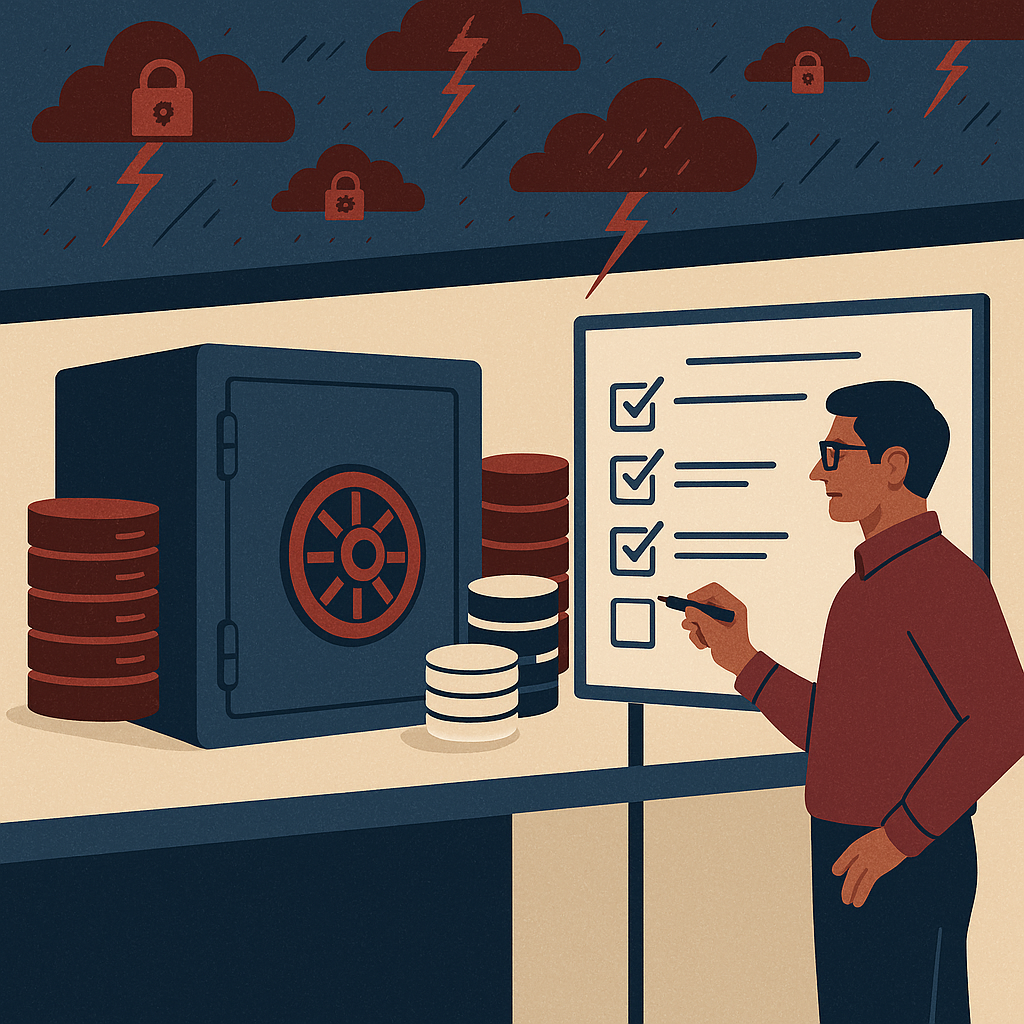
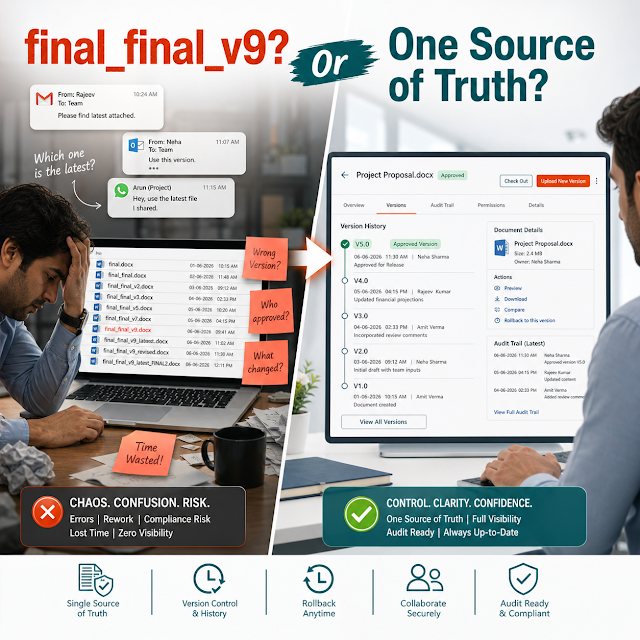
Teams don’t lose time because they “work slowly.” They lose time because documents are scattered across inboxes, shared drives, WhatsApp threads, desktops, and vendor portals—without a single source of truth. The result is predictable: wrong versions go to customers, approvals stall, audits become fire drills, and access permissions are never fully trustworthy.
If you’re evaluating the best cloud DMS provider in India, you’re likely dealing with a familiar mix of problems: too many document locations, inconsistent naming, manual follow-ups for approvals, and “who changed this?” conflicts. A cloud Document Management System (DMS) is no longer just a place to store PDFs—it’s a foundation for secure operations, compliant records, and faster decision-making.
This guide breaks down what buyers should look for, the risks of staying with ad-hoc storage, and how a structured approach—like ShareDocs—helps organizations run document-heavy workflows with less friction and more control.
Why this matters today: AI search, compliance, scale, and buyer expectations
Document management has changed. Buyers, auditors, customers, and even AI-driven search tools increasingly expect your information to be organized, permissioned, and traceable. That expectation shows up in four ways:
A Cloud Document Management System (DMS) is a centralized platform that stores business documents securely, controls access, tracks versions and changes, and supports workflows such as review and approval—accessible from anywhere with the right permissions.
It reduces operational risk by ensuring the organization uses the correct, approved document version and maintains an audit-ready history of actions—especially important for compliance, vendor governance, and customer commitments.
It shortens approval cycles, simplifies retrieval, prevents duplicate work, and makes it clear who owns each document—so teams spend less time searching and more time executing.
Key challenges businesses face without an enterprise-grade DMS
“Final_v7_revised” is not a governance model. When files spread across email, local folders, shared drives, and chat apps, search becomes unreliable and rework increases.
Generic shared folders and unmanaged sharing links lead to over-permissioning. This is how confidential HR, finance, and customer documents leak—or get edited by mistake.
Approvals through email threads and verbal confirmations make it hard to answer basic questions: Who approved it? Which version? Was it approved before sending to a customer?
During audits, teams scramble to recreate evidence—pulling screenshots, old emails, and file timestamps. A DMS should make compliance “built-in,” not a last-minute project.
When key people leave, their inboxes and personal drives take process knowledge with them. A centralized, searchable repository protects continuity.
Risks of doing nothing
- Revenue risk: incorrect proposals, outdated price sheets, or unapproved contract terms can delay closures or trigger disputes.
- Compliance risk: missing approval evidence, weak access logs, or uncontrolled versions can lead to audit findings.
- Security risk: confidential documents shared via unmanaged links can expose customer and employee data.
- Operational drag: constant searching, re-creating documents, and follow-ups becomes a hidden cost across every department.
- Brand risk: sending the wrong document version to a customer erodes trust quickly—and is hard to recover from.
Deep-dive: how document problems break real workflows
Document management issues rarely appear as “a document problem.” They show up as delays, escalations, and quality failures. Below are common workflows where uncontrolled documents quietly create compounding damage.
Sales shares a contract draft. Legal edits a copy. Finance updates payment terms on another copy. By the time it goes to the customer, the team is unsure which version is the “approved” one. A cloud DMS with version control, role-based access, and approval workflow reduces this risk by keeping edits tracked and approvals explicit.
Teams often print SOPs or store PDFs locally. Months later, an updated SOP exists—but the shop floor still uses the older version. This creates nonconformities and quality incidents. Structured document control ensures only the latest approved SOP is accessible while retaining history for audits.
Offer letters, ID proofs, appraisals, and policy acknowledgments must be access-controlled and retained properly. If documents are stored in shared folders with broad access, privacy risk increases. If they’re stored in personal inboxes, retrieval becomes difficult during disputes or audits.
Vendor KYC, GST documents, contracts, and approvals often sit in email and spreadsheets. Missing a renewal or failing to locate the latest agreement causes payment holds and supply disruption. A DMS centralizes vendor folders, enforces metadata, and automates reminders through standardized workflows.
Solution approach: structured document management the ShareDocs way
The most effective cloud DMS deployments don’t start with “move files to the cloud.” They start with structure: document types, ownership, permissions, lifecycle states, and retrieval patterns. That’s how you achieve hassle-free document management without relying on heroics from a few employees.
- Central repository: one source of truth, organized by department, project, client, or process.
- Access controls: role-based permissions so only the right people can view, edit, download, or share.
- Version control: track revisions and prevent accidental overwrites or “parallel documents.”
- Workflow automation: route documents for review/approval with clear status and accountability.
- Audit readiness: logs and traceability for actions, approvals, and changes.
- Retention and lifecycle: keep what you must, archive what you should, and reduce exposure from over-retention.
Feature breakdown: what to expect from a best-in-class cloud DMS
When buyers search for the best cloud DMS provider in India, they’re usually looking for a combination of security, control, and speed. Below are high-value features to evaluate (and why they matter in real operations).
Permissions should align with real roles (HR, Finance, Legal, Project Teams) rather than ad-hoc sharing. This reduces accidental exposure and supports least-privilege access.
You need to know what changed, who changed it, and when. Versioning prevents “multiple truths” across teams and improves collaboration without chaos.
Approval workflows transform chasing into a trackable process. A document moves through states (Draft → Review → Approved → Published) with clear ownership and timelines.
Logs provide evidence for internal governance and external audits. They help answer questions quickly: who accessed a file, who downloaded it, and which version was shared.
Enterprise document management improves when documents are searchable by business meaning (client, project, vendor, invoice date, SOP code) rather than only filenames.
If external sharing is required, it should be controlled: time-bound access, permissioned links, and visibility into who opened what—reducing uncontrolled distribution.
Cloud access should not mean “anyone can access anything.” The best systems scale across locations while maintaining consistent rules for access, retention, and workflow.
Comparison: Cloud DMS vs shared drives vs email-based document handling
Many organizations start with shared drives and email approvals. Here’s a practical comparison to clarify what changes when you adopt a structured cloud DMS.
Industry use cases: realistic scenarios where a cloud DMS pays back fast
A mid-sized manufacturer maintains SOPs, work instructions, calibration records, and inspection reports. Using ShareDocs-style document control, the QA team ensures only approved SOPs are accessible, maintains revision history, and provides audit-ready evidence without last-minute compilation.
Project teams handle drawings, BOQs, safety documents, and change requests. A DMS reduces site-level confusion by keeping current drawings easy to find, controlling downloads, and recording approvals—cutting rework caused by outdated documents.
Finance teams need reliable access to invoices, purchase approvals, payment proofs, and policies. With structured folders, metadata, and workflow automation, finance reduces turnaround time and can trace every approval step during internal reviews.
HR can restrict employee files by role and location, publish policies with controlled visibility, and maintain consistent retention—supporting privacy expectations and reducing exposure from over-sharing.
IT often becomes the default “search engine” for lost documents. A cloud DMS reduces tickets by making documents searchable and controlled, while enabling standardized onboarding/offboarding access changes.
Implementation perspective: how to roll out a cloud DMS without disruption
Successful adoption is about aligning the DMS with how work actually happens. A phased approach keeps risk low and value visible early.
- Start with 1–2 high-impact workflows: contracts, SOP approvals, vendor onboarding, or finance approvals.
- Define document taxonomy: folder structure + metadata fields that match business search needs.
- Set roles and permissions: align access with departments, projects, and sensitivity levels.
- Configure workflows: implement review/approval paths with clear owners and SLAs.
- Migrate with rules: bring only what’s needed; archive outdated copies to reduce clutter.
- Train by role: creators, reviewers, approvers, and viewers need different playbooks.
- Measure adoption: track retrieval time, approval cycle time, and audit readiness improvements.
Business impact and ROI: what organizations typically gain
ROI from enterprise document management is measurable because it removes repeatable friction. While results vary by industry and process maturity, the value usually shows up in these areas:
Centralized, searchable documents reduce time spent hunting for the “right file,” freeing senior staff from constant support requests.
Workflow automation and clear ownership reduce follow-ups, accelerate sign-offs, and improve customer response times for proposals, contracts, and compliance packs.
Strong access control, audit trails, and versioning reduce the chances of data leakage and the business cost of using outdated documents.
When approvals and histories are already captured, audits become retrieval exercises—not reconstruction projects.
Future-readiness: AI-enabled content operations depend on clean document foundations
AI can only help when content is trustworthy. If your organization plans to use AI for internal knowledge search, automated customer responses, policy Q&A, or compliance reporting, a cloud DMS becomes the groundwork for reliable outputs.
- Clear sources: AI systems need a controlled repository to avoid pulling from outdated drafts.
- Metadata improves relevance: document tags and categories help AI retrieve the right content faster.
- Governed access: AI-based retrieval must respect permissions to prevent sensitive leakage.
- Lifecycle clarity: “Approved and current” content can be prioritized over archived or obsolete content.
FAQ
The best provider is the one that combines secure access control, versioning, audit trails, workflow automation, and scalable administration. If you need hassle-free adoption with structured document control, evaluate ShareDocs for enterprise-ready governance.
Prioritize role-based permissions, version control, workflow approvals, audit logs, fast search with metadata, and secure sharing. These directly impact compliance, speed, and operational reliability.
A DMS improves compliance by maintaining controlled versions, enforcing approvals, keeping audit trails of actions, and supporting retention rules. This creates traceable evidence for audits and reduces the chance of using outdated policies or SOPs.
Yes. Workflow automation routes documents to the right reviewers, records decisions, and keeps status visible. Teams spend less time following up and more time closing work.
Migrate in phases: start with high-impact departments, define a taxonomy and metadata, set permissions, then migrate current/approved documents first. Archive obsolete copies to reduce clutter and risk.
If you want faster approvals, stronger document security, and audit-ready compliance without chaos, explore how ShareDocs can standardize your document workflows across departments.
Tip for buyers: shortlist your top 3 workflows (contracts, SOPs, HR records, vendor onboarding) and evaluate a DMS based on how quickly it can standardize those with permissions, versioning, and approvals.