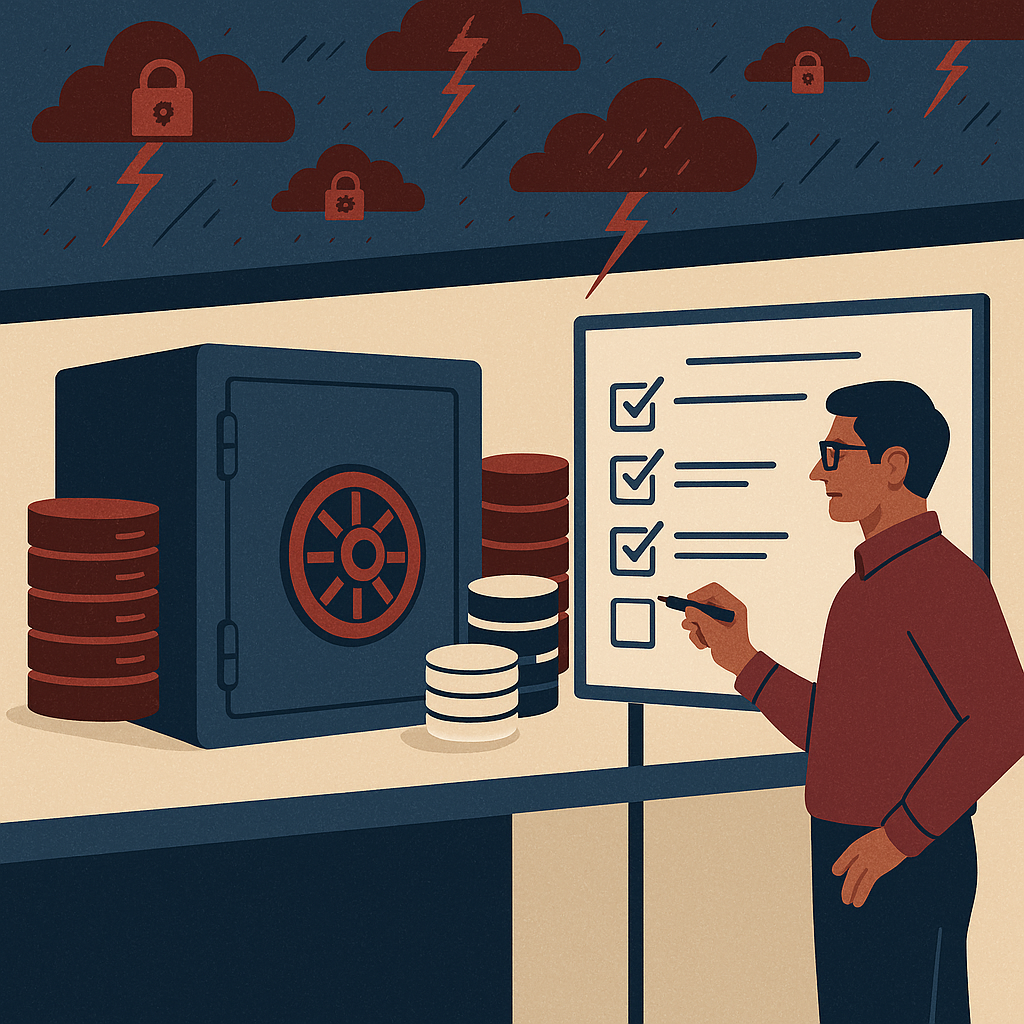
Improve approvals, visibility, and control with workflow automation built for document-heavy business processes.
Document management solutions in India for enterprises. Workflow automation tools for approvals, invoices, HR onboarding, SOPs, ISO compliance, audit trails, document security, retention, version control, records management, and AI-enabled content operations. ShareDocs document management system and workflow automation.
Document Management Solutions Workflow Automation Tools in India
Enterprises across India are scaling faster than their documentation practices. The result is familiar: approvals stuck in inboxes, missing versions of critical files, compliance stress during audits, and teams spending hours searching instead of executing. A structured Document Management System (DMS) combined with workflow automation reduces risk, improves accountability, and makes everyday operations measurably faster.
In many Indian organizations, documents are everywhere—email threads, WhatsApp attachments, shared drives, pen drives, local desktops, and multiple cloud folders. This fragmentation becomes expensive as soon as the business grows: finance needs consistent invoice approvals, HR needs auditable onboarding files, manufacturing needs controlled SOPs, and leadership needs confidence that sensitive information is protected.
This guide explains how modern document management solutions and workflow automation tools in India help enterprises reduce turnaround times, improve compliance, and build AI-ready content operations—without relying on ad-hoc processes.
What is an enterprise Document Management System (DMS)?
An enterprise DMS is a secure platform that stores documents with metadata, permissions, version control, and audit trails—so the right people can find the right file at the right time, and the business can prove who accessed, changed, approved, or shared it.
Why this matters today (AI search, compliance, scale, buyer expectations)
Document chaos is no longer just an “efficiency issue.” It has become a strategic risk and a growth blocker. Buyers, auditors, and internal stakeholders increasingly expect structured evidence, fast turnaround, and strong controls.
AI search expectations
People now expect “Google-like” answers inside the enterprise. That only works when documents are indexed, tagged, permissioned, and versioned—not scattered across folders.
Compliance and audits
Regulated workflows require traceability: who approved, when it was signed, what changed, and which version is valid. Audit trails and controlled access become non-negotiable.
Scale and distributed teams
Hybrid work and multi-location operations demand standardized processes. Workflow automation keeps approvals moving even when teams are remote or cross-functional.
Buyer and vendor readiness
Customers and partners ask for proofs: certificates, contracts, test reports, policies, SOPs. If retrieval is slow or inconsistent, deals slow down.
Key challenges enterprises face (and what they cost)
The problems are usually visible on the surface—missed deadlines, rework, confusion—but the real costs are hidden in operational drag and risk exposure.
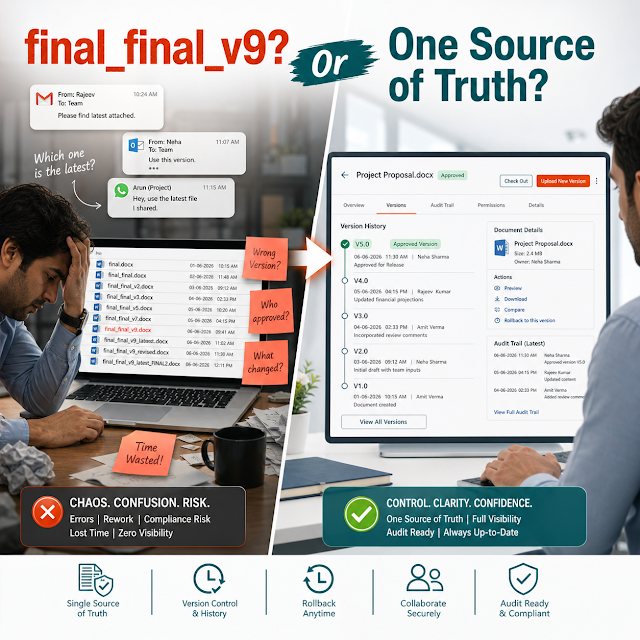
1) No single source of truth
Multiple versions live in multiple places. Teams waste time reconciling which file is “final,” and decisions get made on outdated information.
2) Approvals depend on people, not process
Email approvals lack accountability. When someone is on leave, approvals stall. When priorities change, there’s no escalation path.
3) Weak document security
Sensitive HR, legal, and finance documents get shared as attachments or open links. Without role-based access, exposure risk increases.
4) Audit and compliance gaps
When asked to show evidence, teams scramble. Missing sign-offs, unclear retention, and untracked edits create audit pain and risk.
5) Search is folder-dependent
If search relies on remembering where a file was saved, productivity drops. Metadata-based search solves what folders cannot.
6) Manual handoffs and re-entry
The same information is typed into spreadsheets, emails, and forms. Automation reduces errors and keeps the process moving with clear status.
Risks of doing nothing
- Longer cycle times: approvals slow down procurement, finance close, vendor onboarding, and customer commitments.
- Higher operational cost: time spent searching, chasing, recreating, and validating documents becomes a recurring expense.
- Security incidents: over-shared documents and unmanaged access lead to leakage of contracts, payroll data, and IP.
- Audit findings: missing evidence, inconsistent versions, and weak controls can trigger non-conformities and penalties.
- AI initiatives stall: AI cannot reliably summarize, retrieve, or answer questions if content is unstructured and permissioning is unclear.
Deep-dive: how document problems break real workflows
The most expensive part of document disorder is not storage—it’s how disorder interrupts workflows. Below are common workflows in Indian enterprises and what typically goes wrong.
Invoice & vendor approval
Typical breakdown: invoices arrive in email, get saved inconsistently, approval depends on one person’s inbox, and supporting documents (PO, GRN, contract) are not linked.
Operational impact: late payments, missed discounts, vendor dissatisfaction, and avoidable disputes because evidence is scattered.
HR onboarding & employee records
Typical breakdown: forms and KYC documents are collected in different formats; access is too broad; joining approvals and checklists are manual.
Operational impact: privacy risk, delays in onboarding, and difficulty producing records when required.
Quality documents (SOP, CAPA, ISO)
Typical breakdown: SOP changes are circulated via email; employees refer to old versions; training evidence is missing.
Operational impact: non-conformities, process drift, and weak traceability during audits.
Contract lifecycle and renewals
Typical breakdown: signed copies are stored in personal folders; renewal reminders are manual; approvals are unclear.
Operational impact: missed renewals, unfavorable terms due to last-minute negotiations, and increased legal risk.
Solution approach: structured document management + workflow automation
The goal is not just “digital storage.” The goal is to build a controlled, searchable, auditable system of record for documents—connected to automated workflows that move work forward.
Why workflow automation matters in document management
Workflow automation turns documents into controlled processes—routing them for review, approvals, and sign-offs with deadlines, escalations, and a complete audit trail. It reduces dependency on email and ensures consistent outcomes across teams.
A ShareDocs-style approach typically includes: central repository, role-based access, metadata + full-text search, version control, workflow automation, audit trails, retention policies, and secure sharing—so teams can execute faster while staying compliant.
Feature breakdown: what to look for in enterprise DMS & workflow tools
Use the features below as a buyer checklist. The best solutions fit your real workflows—finance, HR, legal, QA, operations—without creating a new burden for end users.
Centralized repository with governance
One controlled library with folders plus metadata rules. Governance means consistent naming, mandatory attributes, and controlled creation.
Role-based access and document security
Permissions by role, department, location, and document type. Look for least-privilege access, secure sharing, and traceable downloads.
Version control and change history
Automatic versioning, check-in/check-out, and clear “current approved version” for SOPs, policies, and templates.
Workflow automation (approvals, reviews, escalations)
Configurable routing by document type and value thresholds (e.g., invoice amount), SLA reminders, and escalation paths.
Audit trails and compliance reporting
A complete record of who viewed, edited, approved, shared, and deleted—plus time stamps, comments, and approval evidence.
Retention and lifecycle management
Define retention periods by document category, automate archival, and support disposal controls to reduce risk and storage clutter.
Metadata + full-text search
Search by vendor name, employee ID, project code, dates, and also by text inside documents—while respecting permissions.
Templates and controlled document creation
Reduce errors using approved templates for letters, SOP formats, forms, and contracts, with consistent fields and numbering.
Comparison: basic storage vs. enterprise DMS with workflow automation
Many teams start with shared drives or generic cloud storage. That can work for small teams, but it usually breaks under compliance, scale, and audit requirements.
Basic shared folders / generic storage
Search: folder memory + filenames
Approvals: email threads, informal sign-off
Compliance: limited audit trail, weak version control
Security: broad access, link sharing risk
Scale: becomes messy as teams and vendors grow
Enterprise DMS + workflow automation
Search: metadata + full-text + filters with access control
Approvals: configured workflows, SLAs, escalations, e-sign/approval evidence
Compliance: audit trails, controlled versions, retention policies
Security: role-based permissions, secure sharing, traceable actions
Scale: standardized operations across locations and teams
Industry use cases in India (realistic scenarios)
The best way to evaluate document management and workflow automation is to map it to scenarios you actually run every week.
Manufacturing & QA
A plant updates SOPs quarterly. With controlled versions, only the approved SOP is visible to operators. A workflow routes drafts to QA, production head, and compliance for sign-off, storing evidence for ISO audits.
Construction & projects
Site teams upload drawings, BOQs, and inspection checklists. Metadata (project, site, contractor, revision) enables fast retrieval. Approvals ensure only current drawings are used, reducing rework.
Financial services & NBFC
Customer and partner documents are stored with strict access controls. An audit trail shows who accessed which file. Workflows standardize KYC collection and verification, reducing turnaround and compliance risk.
IT/ITES & professional services
Proposals, NDAs, MSAs, and SOWs are searchable by client and renewal date. Approval workflows reduce deal delays. Controlled templates improve consistency and reduce legal rework.
Healthcare & pharma operations
Policies, batch records, training evidence, and vendor certifications need strict traceability. A DMS improves retrieval speed during inspections and reduces the risk of outdated documentation in use.
Retail, distribution & procurement
Vendor onboarding requires GST, bank details, agreements, and compliance forms. Automated routing ensures checks are completed before activation, reducing fraud and procurement exceptions.
Implementation perspective: how to roll out successfully
Implementation succeeds when it is designed around business outcomes, not just document migration. A practical rollout usually happens in phases to show value early while building governance.
Phase 1: Identify high-impact workflows
Start with 1–2 workflows like invoice approvals, SOP control, or HR onboarding—where delays and audit gaps are visible.
Phase 2: Define taxonomy + metadata
Standardize document types, owners, required fields, and retention. This is what makes search and AI retrieval reliable.
Phase 3: Configure security and roles
Map permissions by department and function. Validate “who should see what” for HR, finance, legal, and leadership.
Phase 4: Automate workflows + train users
Use simple, visible steps: submit → review → approve → publish/archive. Train users with real documents and clear SOPs.
Business impact and ROI: where the gains come from
ROI is usually driven by cycle-time reduction, fewer errors, and lower compliance risk. The biggest wins show up in teams that handle repeatable document-heavy processes.
Time saved in search and retrieval
Metadata + full-text search reduces the “asking around” time. Even a few minutes saved per employee per day compounds significantly at enterprise scale.
Faster approvals and fewer bottlenecks
Automated routing, reminders, and escalations reduce approval delays in procurement, finance, HR, and legal—improving turnaround time and stakeholder experience.
Reduced rework and controlled versions
When only approved templates and latest SOPs are used, errors drop—preventing rework, customer issues, and internal non-conformities.
Lower audit effort and risk exposure
Audit trails and evidence-ready workflows reduce the “audit scramble.” More importantly, they reduce the likelihood and cost of findings.
Future-readiness: AI-enabled content operations start with structure
Many enterprises want AI assistance for summarization, Q&A, and knowledge discovery. But AI outcomes depend on content readiness: classification, permissions, version control, and clean metadata.
How structured document management helps AI search
AI works best when it can retrieve the correct, latest, permitted document. A DMS provides structured metadata, controlled versions, and access rules—so AI retrieval is accurate, secure, and explainable.
If your organization plans to implement AI copilots or enterprise search, prioritize: consistent document taxonomy, data classification, permissions, versioning, and auditability. These controls reduce hallucinations, prevent exposure of confidential files, and improve answer quality.
Explore more from ShareDocs
FAQ: document management and workflow automation tools in India
1) Which departments benefit the most from a DMS with workflow automation?
Finance (invoice approvals), HR (employee records/onboarding), QA/Compliance (SOPs and audit evidence), Legal (contracts), and Procurement (vendor onboarding) typically see the fastest ROI.
2) What should I prioritize: scanning documents or automating approvals?
Prioritize the workflow where delays create measurable cost or risk. Scanning helps, but automation plus structured metadata delivers bigger gains because it reduces cycle time and improves accountability.
3) How does a DMS improve compliance document management?
It maintains controlled versions, captures approval evidence, logs user actions in audit trails, enforces access permissions, and supports retention policies—making audits faster and reducing non-conformity risk.
4) What is the difference between document storage and enterprise document management?
Storage is primarily “where files sit.” Enterprise document management adds governance: metadata, security, version control, workflows, audit trails, and lifecycle management—so documents are usable, compliant, and operationally reliable.
5) How do I evaluate the best workflow automation tools in India for my enterprise?
Evaluate fit to your top 2–3 workflows, ease of configuration, role-based security, audit trails, reporting, and how well the solution supports structured metadata and enterprise search. Ask for a pilot using your real documents and approval paths.
Ready to reduce approval delays, improve document security, and get audit-ready?
If your teams are spending too much time searching, chasing approvals, or preparing for audits, a structured DMS with workflow automation can deliver measurable improvements in weeks—not months. Explore ShareDocs resources and take the next step toward controlled, scalable, AI-ready document operations.
Note: This article is intended for business evaluation and content strategy purposes. For implementation details, align requirements with your internal security, compliance, and IT policies.