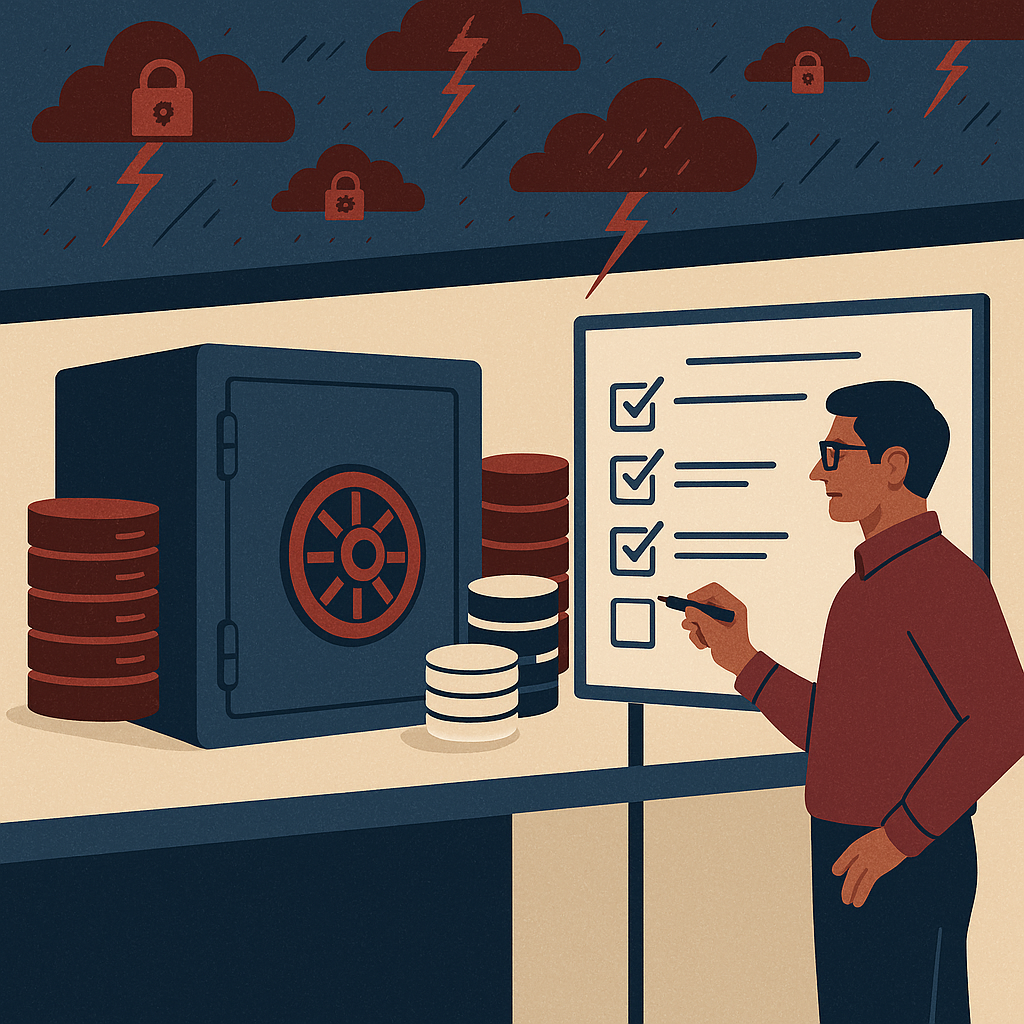
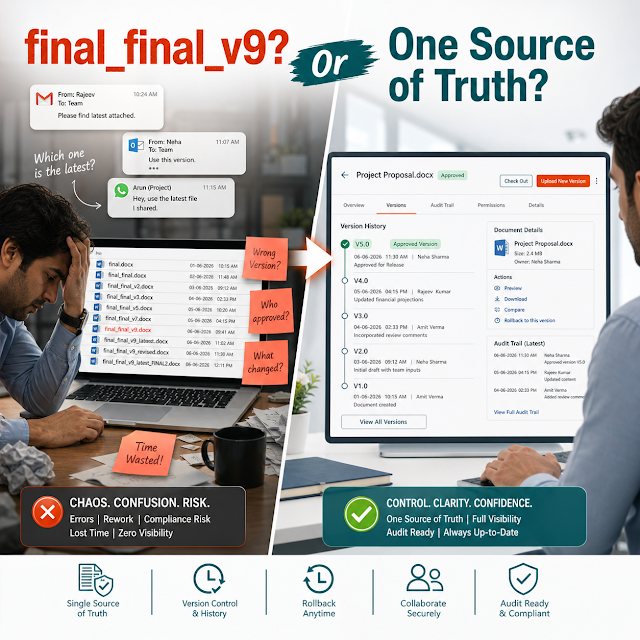
Workflow automation in ECM for approvals, routing, escalations, audit trails, and faster enterprise decision-making in 2026.
Workflow automation in ECM, enterprise content management, document management system workflow, compliance automation, audit trail, records management, document lifecycle management, AI search, workflow orchestration, security access control, SLA monitoring, exception handling, intelligent routing, eSignature integration, metadata automation.
The Real Problem: Approvals Alone Don’t Run an Enterprise
Many organizations still describe “workflow automation” as a simple document approval: create a file, send it to a manager, collect an approval, store the final version. That model may have worked when processes were slower, teams were centralized, and compliance expectations were easier to satisfy. In 2026, it’s not enough.
Decision-makers—CTOs, Operations Heads, Compliance and Risk leaders, Finance Heads—are dealing with a different reality: distributed teams, increased regulatory scrutiny, vendor ecosystems, rapid product cycles, and rising cybersecurity risk. Documents aren’t just “files” anymore; they’re evidence, intellectual property, and operational fuel. If your ECM workflow is only moving a PDF from person A to person B, you’re leaving speed, control, and measurable ROI on the table.
Modern ECM workflow automation must orchestrate the entire content lifecycle: intake → classification → routing → collaboration → exception handling → SLA tracking → audit logging → retention/disposition. It should reduce risk while accelerating operations—without forcing business teams to become IT ticket creators for every process update.
Why This Matters in 2026 (and Why Leaders Are Reprioritizing ECM)
Workflow automation in ECM is no longer a “back-office improvement.” It directly affects revenue velocity, vendor and customer experience, audit outcomes, and your organization’s ability to scale without adding headcount.
Regulatory pressure is rising
Auditability, retention rules, access controls, and defensible records handling are now board-level concerns in many industries.
Work is distributed and faster
Teams collaborate across time zones and systems. ECM workflows must route work intelligently and track SLAs in real time.
Security and data governance are non-negotiable
Least-privilege access, segregation of duties, and tamper-evident audit logs matter as much as usability.
AI search is changing expectations
People expect to find “the right document” instantly—even when metadata is missing or inconsistent.
Key Challenges Holding ECM Workflows Back
1) Manual routing and tribal knowledge
Processes rely on “who knows who” instead of rules. When a key person is unavailable, work stalls and exceptions multiply.
2) Poor metadata and inconsistent classification
Search fails, retention is unreliable, and compliance teams can’t prove policy execution if documents aren’t tagged correctly.
3) Limited visibility into SLAs and bottlenecks
Leaders lack real-time dashboards for cycle times, pending queues, and process health across departments and regions.
4) Weak controls for regulated workflows
Approvals without segregation of duties, audit trails, and policy-driven retention expose the organization during audits and disputes.
5) Integrations become “projects”
Connecting ECM to ERP/CRM/email/eSignature often requires heavy IT effort, slowing down process improvements and adoption.
6) Exception handling is ad-hoc
Missing documents, invalid formats, conflicting versions, and urgent cases create chaos if there’s no defined exception path.
What’s at Risk If You Don’t Evolve Beyond Approvals
- Compliance exposure: inability to demonstrate who accessed what, when, and why—especially for regulated content and records.
- Revenue and cash-flow delays: contract cycles slow down, invoicing disputes increase, and procurement timelines slip.
- Security gaps: uncontrolled sharing, stale permissions, and content sprawl across email threads and personal drives.
- Audit and litigation costs: weak retention, missing versions, and incomplete audit trails raise time-to-response and external counsel costs.
- Operational inefficiency: staff spend hours chasing approvals, re-keying data, and searching for the “latest” document.
- Decision blind spots: without metrics, leaders can’t identify bottlenecks, enforce SLAs, or forecast workload.
Deep Dive: What “Modern ECM Workflow Automation” Really Means
In 2026, modern workflow automation in ECM is best described as process orchestration around content. It ensures that documents and data move through a controlled lifecycle—guided by policy, role-based access, and measurable outcomes.
A practical scenario (Finance + Procurement)
Consider vendor onboarding. A “simple approval” workflow sends the vendor form to Procurement for sign-off. A modern ECM workflow does more:
- Captures vendor documents (KYC, tax forms, contracts) via portal/email ingestion.
- Classifies and validates required fields (vendor name, tax ID, effective dates).
- Routes tasks based on vendor risk tier (standard vs high-risk), region, spend threshold, and category.
- Enforces segregation of duties: requester cannot be final approver.
- Tracks SLA for each stage; escalates automatically when thresholds are breached.
- Generates audit-ready logs for who reviewed which document version and when.
- Applies retention rules and legal hold if needed.
This is the difference between “approval automation” and enterprise workflow automation: the latter reduces risk, compresses cycle times, and creates predictable, governable outcomes.
Lifecycle-driven, not file-driven
Workflows should be based on content type (contracts, SOPs, invoices, HR records) with defined states and retention policies.
Rules + exceptions
Automation handles the “happy path” and defines exception routing for missing info, rework loops, and urgent escalations.
Measurable governance
Dashboards and audit reports show throughput, bottlenecks, and compliance execution—not just task completion.
A Practical Solution Approach for Leaders
Modernizing ECM workflow automation doesn’t have to mean a disruptive rip-and-replace. Leaders can adopt a staged approach that balances speed, control, and change management.
Step-by-step modernization roadmap
-
Prioritize high-impact workflows (contracts, vendor onboarding, invoice approvals, SOP changes). Choose processes with measurable delays, compliance exposure, or high volume.
-
Standardize content models: document types, mandatory metadata, versioning rules, and retention classes.
-
Define roles and controls: RBAC, approvals matrix, segregation of duties, and escalation paths aligned with policy.
-
Automate intake and routing: templates, forms, OCR/IDP where needed, and rules-based assignment to queues.
-
Instrument the workflow: SLAs, dashboards, and audit outputs so business owners can run the process like an operation, not a one-time project.
-
Integrate where it matters: connect to ERP/CRM/email/eSignature selectively, starting with the workflow steps that drive the most rework.
Feature Breakdown: What to Look for in an ECM Workflow Platform
When evaluating an enterprise content management solution in 2026, ask whether it can support not just approvals, but operational control, compliance readiness, and AI-assisted discovery—without sacrificing security.
Configurable workflow designer
Build multi-step workflows with conditions, parallel routing, rework loops, and escalations—without heavy custom code for every change.
Role-based access & policy enforcement
RBAC, least privilege, and controlled sharing. Ensure sensitive documents are accessed only by authorized roles across the lifecycle.
Audit trail and version control
Tamper-evident audit logs and version history that can stand up to internal audits, customer reviews, and regulatory scrutiny.
Metadata automation and templates
Reduce errors by enforcing mandatory fields, using templates, auto-tagging, and standardized naming rules for consistent retrieval.
SLA tracking & escalations
Track cycle times by step, trigger reminders and escalations, and identify bottlenecks before they become business incidents.
AI-assisted search and discovery
Find content by meaning, context, and partial information—not only by exact file name or perfect metadata.
Records & retention management
Apply retention schedules, disposition rules, and legal holds so records are defensible and deletion is controlled.
Integration readiness
Connect workflows to ERP/CRM, email, eSignature, and identity providers so content stays consistent across systems.
Traditional Approvals vs. Modern ECM Workflow Automation
Traditional “Approval Workflow”
Goal: get a yes/no sign-off
Routing: manual or fixed sequence
Exceptions: handled via email and calls
Audit: limited visibility, often incomplete
Search: depends on file names and folders
Outcome: approvals happen, but risk and delays remain
Modern ECM Workflow Automation (2026)
Goal: orchestrate lifecycle with control and speed
Routing: rules-based, dynamic, risk-aware
Exceptions: defined paths, rework loops, escalations
Audit: end-to-end traceability, version history
Search: metadata + AI-assisted discovery
Outcome: measurable SLAs, reduced risk, scalable operations
Industry Use Cases Leaders Are Automating in 2026
While every organization has unique processes, certain ECM workflow patterns consistently deliver high ROI and reduced compliance exposure.
Manufacturing & Quality
SOP approvals, CAPA documentation, supplier compliance records, batch documentation, and audit-ready traceability with controlled versions.
Finance & Shared Services
Invoice processing, PO matching support docs, expense policy workflows, month-end close evidence, and dispute resolution packets.
Healthcare & Pharma
Controlled documents, training acknowledgements, vendor qualification, clinical documentation management, and strict access logging.
BFSI & Insurance
KYC workflows, policy issuance documents, claims documentation, risk reviews, and retention schedules aligned with regulations.
Construction & Real Estate
Contract and change order management, site documentation, compliance certificates, and approval trails across stakeholders.
IT & Security Governance
Policy publishing, evidence collection for audits, access review documentation, incident postmortems, and controlled knowledge bases.
Implementation Perspective: How to Deploy Without Disrupting Operations
ECM workflow success is rarely a “technology problem.” It’s usually a design, ownership, and adoption problem. Implementation should balance governance with usability so the business actually uses the system—not shadow processes.
Establish process ownership
Assign workflow owners in each function (Finance, Ops, Compliance). IT enables; the business runs and improves the process.
Define the content model first
Document types, metadata, version rules, and retention classes should be finalized before automating routing logic.
Start with a controlled pilot
Pick one workflow, one region, one team. Measure cycle time reduction and rework rates before scaling across units.
Instrument dashboards early
Set SLA targets and reporting requirements. Dashboards help leaders drive adoption and continuously remove bottlenecks.
Decision insight: the “change rate” test
Ask vendors or internal teams: How quickly can we change a workflow step, add an approver rule, or adjust an SLA—without a major IT release?
In 2026, business agility often depends on how fast governance can evolve.
Business Impact and ROI: What Leaders Can Measure
A mature ECM workflow automation program should produce measurable outcomes across cost, risk, and speed. The ROI is typically a combination of reduced labor, fewer errors, faster cycle times, and lower audit effort.
Cycle time reduction
Track time from submission to completion. Faster contract and vendor workflows can directly improve revenue and procurement velocity.
Lower rework and fewer disputes
Mandatory metadata and controlled versions reduce “wrong doc” errors and help resolve invoice/contract disputes faster.
Reduced audit effort
Audit trails, retention proof, and quick retrieval shorten audit preparation and response time, reducing business disruption.
Improved security posture
Centralized access control and policy-based sharing reduce data leakage risk and improve governance over sensitive documents.
Board-level framing
Workflow automation in ECM is a risk-reduction and scalability investment. Leaders can connect it to fewer compliance findings, faster time-to-cash, and lower operational drag—especially in high-volume document environments.
Future Readiness: The AI Angle for ECM Workflows
AI is not just about chat interfaces. In ECM, AI becomes valuable when it is applied to classification, discovery, summarization, and decision support—with strong governance and security controls.
AI-assisted metadata & classification
Suggest document types, tags, and required fields based on content, reducing manual entry and improving downstream automation accuracy.
AI search for faster retrieval
Semantic search helps users find documents even with incomplete metadata—critical during audits, disputes, or urgent operational events.
Summaries and decision support
Generate summaries of long documents (contracts, policies) to speed review—while retaining the original as the system of record.
Governed AI usage
Leaders should require role-based access, audit logging for AI interactions, and data boundaries so sensitive content remains protected.
The strategic takeaway: AI works best when your ECM foundation is clean—consistent metadata, controlled versions, and robust access control. Without that, AI amplifies inconsistency rather than eliminating it.
FAQs
1) What’s the difference between ECM workflow automation and BPM?
BPM is broader process management across systems. ECM workflow automation focuses on processes where documents and records are central—capturing, routing, controlling versions, auditing, and applying retention policies.
2) How do we ensure compliance without slowing down operations?
Use policy-driven automation: mandatory metadata, RBAC, audit logs, and predefined exception paths. This reduces manual checks while improving consistency and evidence quality.
3) What workflows usually deliver the fastest ROI?
High-volume and high-risk workflows: invoice support documents, contract approvals, vendor onboarding, SOP changes, and audit evidence collection. These typically reduce cycle time and rework quickly.
4) Can we modernize workflows without replacing existing systems?
Often yes. Many organizations modernize by standardizing content models and implementing ECM workflow orchestration first, then integrating with ERP/CRM/eSignature incrementally where it reduces re-keying and exceptions.
5) How should leaders evaluate “AI search” in ECM?
Evaluate accuracy, permission-aware results (security trimming), auditability, and how AI handles poor metadata. AI search must respect access controls and compliance requirements, not bypass them.
Ready to move beyond approvals in 2026?
If your workflows still depend on emails, manual routing, and folder-based document control, it’s time to modernize. A stronger ECM workflow approach improves speed, compliance readiness, and operational visibility—without adding unnecessary overhead.
Explore an enterprise-ready approach to document management and workflow automation with ShareDocs:
https://sharedocsdms.com/
Suggested next step for leaders: shortlist 1–2 workflows (contracts, vendor onboarding, invoice support docs), define measurable SLA targets, and run a controlled pilot with dashboards and audit outputs from day one.