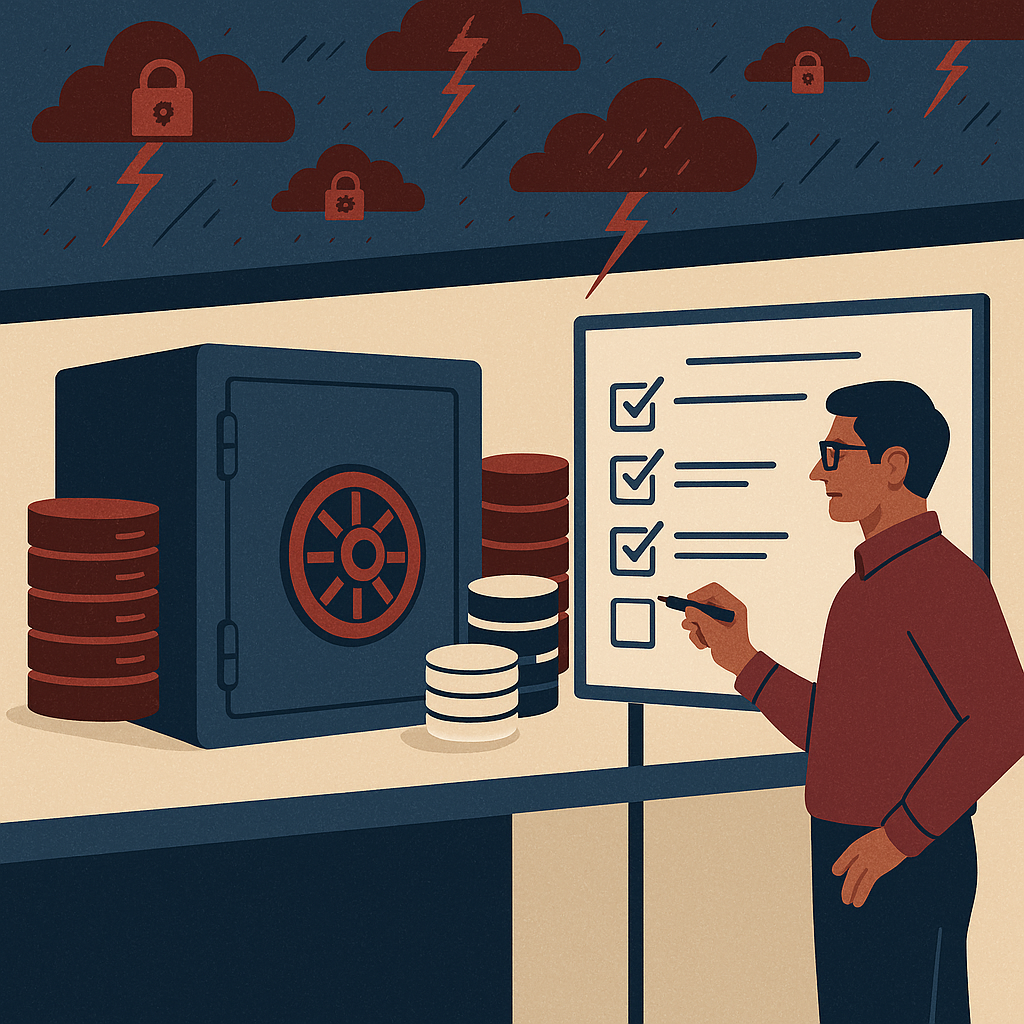
Secure cloud document management with better access, search, control, and compliance for modern business teams.
ShareDocs cloud DMS for document organization in India, enterprise document management system, secure document repository, compliance document management, workflow automation, audit trails, access control, version control, document search, AI-enabled content operations, scalable cloud document management.
Sharedocs Best Cloud DMS for Document Organization in India
Quick answer
A cloud DMS (Document Management System) organizes documents with structured folders, metadata, permissions, version control, and audit trails—so teams can find the right file fast, protect sensitive data, and prove compliance as they scale.
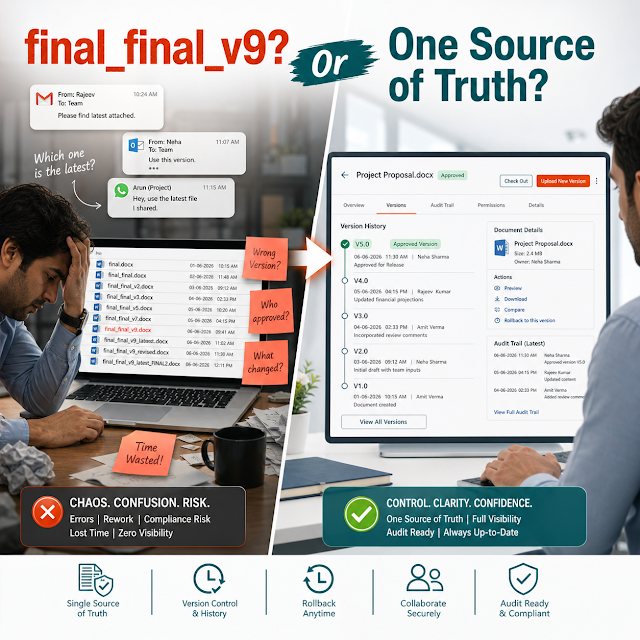
When documents are scattered across email threads, WhatsApp, shared drives, and individual laptops, everyday work becomes slower and riskier. Teams waste hours searching for “the latest” file, approvals get stuck in inboxes, and the business loses track of who changed what and when. The result is more rework, more compliance exposure, and a growing gap between how leadership thinks documents are managed and how it actually happens on the ground.
This is exactly why modern businesses in India are moving to a structured cloud DMS. ShareDocs helps teams bring order to document chaos using secure storage, smart organization, and workflow-driven control—without making daily work harder. If your organization is growing, handling audits, onboarding vendors, or running multi-department processes, document organization is no longer “admin work.” It’s operational infrastructure.
Why this matters today (AI search, compliance, scale, buyer expectations)
Document management has changed. It’s no longer only about storing PDFs in the cloud. Today’s buyers—customers, auditors, partners, and even employees—expect instant answers, traceability, and secure collaboration. Several forces are pushing this shift:
AI search is rewriting “findability”
AI-driven search and chat experiences rely on structured, permissioned content. If documents are inconsistent, duplicated, or buried in random folders, AI tools can’t reliably retrieve the right answer—or worse, they may retrieve the wrong one.
Compliance is getting tighter
Businesses face stronger expectations around access control, retention, audit trails, and governance. Even if your industry isn’t “highly regulated,” vendor onboarding and enterprise deals increasingly require proof of process and controls.
Scale amplifies document problems
When teams move from 30 to 300 people, informal habits collapse. Version confusion grows, approvals slow down, and new hires can’t find templates or policies. A cloud DMS provides the operating system for documents across departments.
Definition: What is a Cloud DMS?
A cloud DMS is a secure, centralized document management system hosted online that helps businesses store, organize, search, control access to, and track documents with features like metadata, workflows, versioning, and audit logs—accessible from anywhere with proper permissions.
Key challenges in document organization (what teams struggle with)
Most organizations don’t have a “document problem.” They have a system problem: documents are produced faster than they can be governed. Below are the most common issues that drive buyers to consider ShareDocs and similar enterprise document management platforms.
1) No single source of truth
Multiple copies across email, drives, and chats create confusion and rework. Teams can’t reliably confirm which file is final.
2) Poor search and inconsistent naming
If discovery depends on file names alone, users fail when names vary by person, department, or language conventions.
3) Weak access control
Shared folders and forwarded attachments make it hard to restrict sensitive documents by role, department, or project.
4) Version conflicts during collaboration
Without a controlled check-in/check-out or version history, edits collide and approvals happen on outdated drafts.
5) Manual approvals and slow turnaround
Email-based approvals create bottlenecks and leave no reliable record of who approved which version.
6) Audit and compliance stress
When you can’t produce a document trail quickly, audits turn into fire drills that disrupt teams for days.
Risks of doing nothing
Delaying a structured document management approach usually doesn’t keep things “as-is.” It makes the situation more expensive over time. Common business risks include:
- Data leakage from uncontrolled sharing of contracts, HR files, or customer documents.
- Revenue delays when proposals, invoices, or compliance paperwork can’t be located in time.
- Non-compliance due to missing approvals, incomplete audit trails, or retention gaps.
- Brand damage when incorrect versions get sent to customers or regulators.
- Hidden cost in employee time: searching, re-creating, reconciling duplicates, and chasing approvals.
Deep-dive: how document chaos breaks real workflows
Document disorder rarely appears as a single dramatic failure. It shows up as a repeating pattern of micro-delays that compound into missed deadlines and risk. Here’s what that looks like in common workflows:
Vendor onboarding and procurement
A vendor submits documents (GST, PAN, bank details, certificates). Procurement saves files in a local folder, finance requests clarifications by email, and legal reviews an old contract template. Weeks later, no one can tell which set is final. Without a structured DMS, you can’t standardize checklists, enforce required documents, or maintain an audit-ready trail.
Sales proposals and customer contracts
Sales shares a proposal draft, leadership makes edits, and legal updates clauses. The customer receives “final_v7_revised2.pdf,” but finance later invoices against an older scope. A cloud DMS with controlled versions, permissions, and approvals reduces errors that directly impact revenue recognition and customer trust.
HR policies, employee records, and audits
HR must protect personal information while making policies accessible. If everything is in shared drives, access becomes “all-or-nothing.” A DMS enables role-based access, policy version history, and controlled publishing—so employees read the latest policy while sensitive records remain restricted.
Why it matters
When document handling is informal, every process becomes person-dependent. A DMS makes processes system-dependent—so execution stays consistent even when teams change, volumes increase, or audits arrive unexpectedly.
Solution approach: structured document management with ShareDocs
A ShareDocs-style cloud DMS solves document organization by combining three essentials: structure, control, and speed. Instead of depending on file names and ad-hoc folders, it uses consistent taxonomy, metadata, and governed workflows to make documents easy to find and safe to use.
How it helps (practical outcomes)
Find documents faster
Search by metadata, filters, document type, client, department, date, or status—not just by file name.
Reduce errors
Centralized access and version history reduce “wrong attachment” incidents and outdated approvals.
Govern sensitive files
Role-based access ensures HR, finance, and legal documents are visible only to authorized users.
Feature breakdown (buyer-focused)
The best cloud DMS for document organization in India should be evaluated by how well it supports real work: controlled collaboration, consistent structure, audit readiness, and scalable governance. Below is a buyer-oriented feature breakdown.
Centralized repository with folder + metadata structure
Store documents in a consistent hierarchy while adding metadata like client, document type, project, status, and expiry. This makes retrieval predictable even when teams grow.
Role-based access control (RBAC)
Control who can view, upload, download, edit, or approve. RBAC supports least-privilege access—a key expectation for enterprise document security.
Version control + audit trail
Track document history, changes, and user actions. This is foundational for compliance document management and reduces disputes about “who approved what.”
Workflow automation for reviews and approvals
Move from email chasing to structured steps: draft → review → approve → publish. Automation standardizes turnaround time and prevents skipping controls.
Secure sharing with controlled visibility
Share documents without losing control—ideal for customers, vendors, and auditors. Controlled access helps reduce data leakage through forwarded attachments.
Retention, organization standards, and policy readiness
Build repeatable document structures for SOPs, ISO-style documentation, contracts, invoices, HR files, and quality records—so governance isn’t reinvented per department.
Comparison: basic cloud storage vs. cloud DMS vs. ShareDocs-style approach
Many teams start with shared drives or generic cloud storage. That works until approvals, compliance, and cross-team workflows become business-critical. Below is a practical comparison to help buyers frame the difference.
Basic cloud storage
Best for: simple file sharing
Organization: folder-dependent
Control: limited governance at scale
Approvals: manual via email/chat
Compliance: hard to prove consistently
Typical DMS
Best for: centralized storage + some governance
Organization: folders + metadata (varies)
Control: permissions and audit trail
Approvals: basic workflow options
Compliance: improved, depends on setup
ShareDocs-style structured DMS
Best for: scalable document operations across departments
Organization: standardized taxonomy + metadata
Control: role-based governance aligned to processes
Approvals: workflow automation to reduce cycle time
Compliance: audit-ready trails, predictable execution
Industry use cases (realistic business scenarios)
Document organization looks different across industries, but the operational need is the same: speed, control, and traceability. Here are scenarios where a cloud DMS in India creates immediate value.
Manufacturing & QA
Maintain controlled SOPs, calibration certificates, inspection reports, and supplier quality documents. Ensure shop-floor teams access only the current approved version while retaining history for audits.
Real estate & construction
Organize drawings, BOQs, permits, contracts, and handover documents by project, phase, and vendor. Reduce delays caused by missing approvals and document mismatches.
Healthcare & clinics
Securely manage administrative records, vendor agreements, and internal policies with controlled access. Keep sensitive documents restricted while enabling faster retrieval when needed.
Finance, NBFC & audits
Centralize customer documentation, internal policies, and audit evidence. Use audit trails to demonstrate control and reduce preparation time during regulatory or internal audits.
IT services & consulting
Manage client deliverables, SOWs, MSAs, and compliance packs by account. Ensure only approved templates are used and protect customer data with strong access control.
Education & institutions
Organize administrative policies, accreditation documents, and departmental records. Improve continuity across staff changes and enable faster responses to compliance requests.
Implementation perspective (how to roll out successfully)
Buyers often worry that implementing an enterprise document management system will disrupt teams. A practical rollout approach reduces risk and accelerates adoption:
Step 1: Start with high-impact processes
Choose 1–2 workflows (e.g., vendor onboarding, contract approvals, HR policies) where search time and risk are highest.
Step 2: Define structure and metadata
Standardize document types, naming rules, and key metadata fields so retrieval becomes consistent across teams.
Step 3: Configure roles and permissions
Map roles to real responsibilities (creator, reviewer, approver, viewer) to enforce security without blocking work.
Step 4: Pilot, measure, expand
Run a pilot, track search time and approval cycle time, then expand to additional departments and document categories.
The goal is not to “migrate everything on day one.” The goal is to implement a document operating model that improves speed and governance—then bring more content under control in phases.
Business impact & ROI (what leaders can measure)
A cloud DMS delivers ROI when it reduces the cost of chaos and increases the speed of execution. Here are measurable outcomes leaders can track after implementation:
Lower time spent searching & recreating
Measure average time to find key documents (contracts, policies, invoices). A structured DMS typically reduces this dramatically.
Faster approvals and cycle times
Track workflow cycle time from draft to approval. Automation reduces follow-ups and prevents approvals on outdated versions.
Reduced compliance and audit effort
Quantify audit preparation time: collecting evidence, locating approvals, compiling versions. Audit trails reduce disruption.
Fewer errors sent to customers
Track incidents of wrong versions, missing attachments, or inconsistent templates. Centralization and versioning reduce preventable mistakes.
Future-readiness: AI angle for document management
AI is changing how employees and customers expect to interact with information. But AI can only be reliable when content is structured, current, and permissioned. A cloud DMS prepares your organization for AI-enabled content operations by making documents:
- Discoverable: metadata improves retrieval and reduces ambiguity.
- Trustworthy: version control ensures AI and teams use approved documents.
- Safe: role-based permissions prevent unauthorized exposure of sensitive content.
- Context-rich: structured categories (client, process, department, status) improve answer quality.
Definition: What is AI-enabled document management?
AI-enabled document management is the practice of organizing and governing documents so AI tools can safely retrieve, summarize, and answer questions from approved content—without mixing drafts, duplicates, or unauthorized files.
FAQ (search-style questions)
1) Which is the best cloud DMS for document organization in India?
The best cloud DMS is one that matches your workflows and compliance needs: strong search with metadata, role-based access, audit trails, version control, and workflow automation. ShareDocs is designed for structured organization and enterprise-style governance for growing teams.
2) How does a DMS improve document security?
A DMS improves security by restricting access based on roles, centralizing storage instead of uncontrolled attachments, and recording activity through audit logs. This reduces accidental sharing and improves accountability.
3) Is cloud document management suitable for audits and compliance?
Yes—if it includes audit trails, version history, controlled approvals, and consistent retention practices. These capabilities help teams prove what happened, when it happened, and who approved it.
4) What’s the difference between cloud storage and a cloud DMS?
Cloud storage focuses on keeping and sharing files. A cloud DMS adds structured organization, governance, workflow automation, version control, and audit trails—so documents can be managed as business records, not just files.
5) How long does it take to implement a document management system?
A pilot for one department or workflow can be rolled out quickly when structure, roles, and approval steps are defined upfront. Many organizations start small, prove ROI, and then expand to additional processes in phases.
Ready to organize documents securely—and scale without chaos?
If your teams are struggling with version confusion, slow approvals, audit pressure, or sensitive document security, a structured cloud DMS is the fastest path to control and speed. Explore ShareDocs to standardize document organization, automate approvals, and build AI-ready information foundations.