Speed invoice approvals with AI and workflow automation to reduce errors, improve control, and strengthen finance compliance.
Accounts payable workflow automation, AI invoice processing, enterprise document management system, compliance document management, invoice approval workflow, document security, audit trail, OCR invoice capture, metadata indexing, vendor master data governance, three-way match, purchase order matching, AP analytics, shared services, digital transformation, AI-enabled content operations, ShareDocs DMS, structured document management, document retention, access control.
Streamline your Accounts Payable with Workflow Automation and AI
Accounts Payable (AP) is often where finance teams feel the most friction: invoices arrive in many formats, approvals happen across departments, exceptions stack up, and month-end becomes a scramble. When the AP process is held together by email chains, shared folders, and manual data entry, small delays turn into late fees, missed early-payment discounts, and strained vendor relationships.
Workflow automation and AI can change that—without turning AP into a black box. The goal is simple: capture invoices reliably, route them to the right people automatically, apply consistent controls, and produce an audit-ready record that is easy to search and secure. This is where a structured document management approach (like ShareDocs-style content organization, metadata, and permissions) becomes a practical foundation for scalable AP operations.
What is Accounts Payable workflow automation?
Accounts Payable workflow automation is the use of defined rules and digital routing to move invoices through capture, validation, approvals, matching, and posting—reducing manual handoffs while enforcing controls such as authorization limits, segregation of duties, and documented approvals.
What is AI invoice processing?
AI invoice processing uses machine learning and intelligent extraction (often with OCR) to capture invoice data, classify documents, flag anomalies, and reduce exceptions—so AP teams spend less time on repetitive entry and more time resolving real issues.
Why it matters
Buyers and auditors now expect fast retrieval, consistent controls, and traceability. A secure, searchable, metadata-driven document system turns AP from a cost center into a measurable, compliant operation.
Why this matters today
AP transformation isn’t only a “finance efficiency” project anymore. It’s influenced by how modern organizations operate, how regulators evaluate records, and how customers and suppliers judge reliability.
AI search & instant answers
Finance leaders increasingly rely on quick, verifiable answers: “Which invoices are pending approval?” “Why was vendor X paid late?” “Show me approvals for this PO.” AI-enabled search works best when documents are structured, indexed, and permissioned.
Compliance & audit readiness
Whether the driver is internal audit, external audit, tax inquiries, or governance requirements, AP records need a consistent retention policy, traceable approvals, and controlled access.
Scale without adding headcount
Invoice volume can spike with growth, acquisitions, new business units, or seasonal demand. Automated routing and standardized document handling keep cycle times stable even as volume increases.
Buyer expectations
Internal stakeholders want frictionless approvals. Suppliers expect predictable payments. Leadership expects accurate accruals and clear liability visibility.
Key challenges in Accounts Payable (and why they persist)
Many AP teams already use an ERP, but the “last mile” of documents and approvals remains fragmented. The bottleneck is rarely the ledger—it’s the unstructured content, unclear routing, and inconsistent controls around invoices and supporting documents.
1) Invoice capture chaos
Invoices arrive via email, PDF, scans, portals, or paper. Without consistent capture and indexing, they get lost, duplicated, or processed late.
2) Manual data entry and rework
Keying invoice number, dates, line items, and tax fields creates errors and slows posting. Rework piles up when PO numbers are missing or vendors use inconsistent formats.
3) Approval bottlenecks
Approvals often depend on “who saw the email.” When stakeholders travel or change roles, invoices stall. Lack of delegation rules and escalation increases cycle time.
4) Weak three-way match execution
Without clean linkages between invoice, PO, and GRN/receipt, matching becomes a manual investigation. Exceptions become the default rather than the exception.
5) Compliance and audit pressure
Auditors need evidence: who approved, when, based on what, and whether policy was followed. Disconnected systems and shared drives make proof expensive to produce.
6) Document security gaps
Invoices contain banking details, pricing, and tax identifiers. If access is managed via forwarded emails or uncontrolled folders, confidentiality and integrity are at risk.
Risks of doing nothing
- Higher processing cost per invoice due to manual entry, chasing approvals, and repeated exception handling.
- Late payments and missed discounts from slow cycle times and poor visibility.
- Duplicate or incorrect payments when duplicates aren’t detected and approvals are inconsistent.
- Audit findings due to missing approvals, incomplete documentation, or weak retention practices.
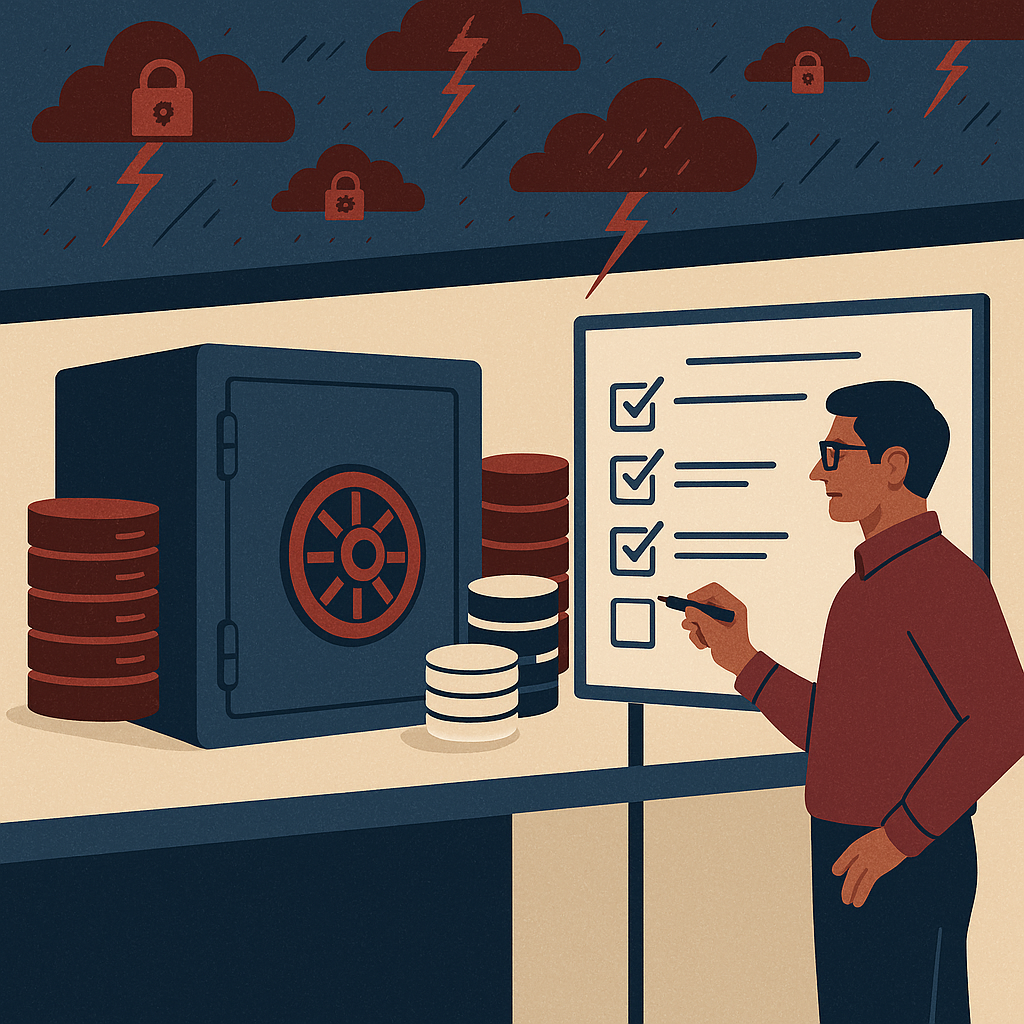
- Security exposure from uncontrolled sharing of invoices and vendor bank details.
- Inaccurate accruals because liabilities can’t be reliably tracked across “inbox” workflows.
Deep dive: how these problems show up in real AP workflows
Most AP pain points are not isolated—they compound across steps. Here’s what happens in a typical “manual-plus-email” process and why it becomes difficult to control at scale:
Step 1: Intake
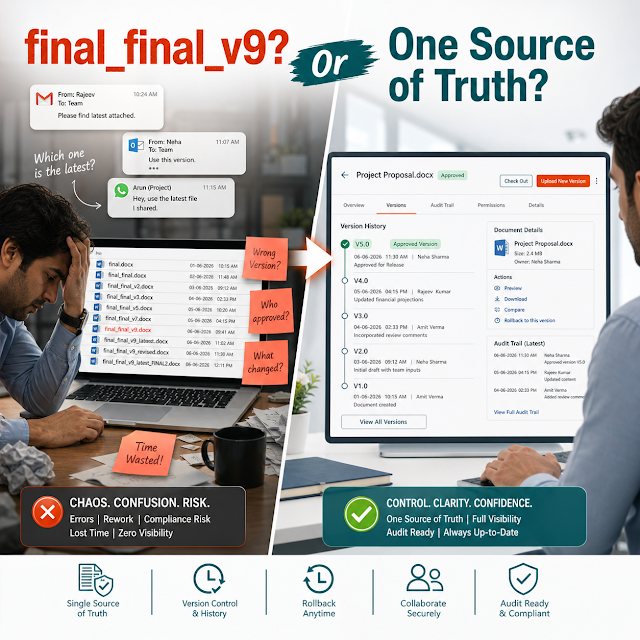
Invoices arrive across multiple channels. Without a structured repository and consistent naming/metadata, AP teams spend time just locating “the latest version.” If multiple people download and re-upload files, duplicates multiply.
Step 2: Data capture and validation
Manual entry introduces errors: invoice numbers keyed incorrectly, tax values missed, and vendor details copied from older invoices. When validation relies on tribal knowledge, exceptions are handled inconsistently. AI extraction and rules-based validation reduce this variability.
Step 3: Matching and exception handling
Three-way match breaks when PO numbers are missing, receiving is delayed, or line items do not align. Without a central document management layer that links invoice + PO + receipt + correspondence, exception resolution becomes an email hunt.
Step 4: Approvals
Approval delays typically come from unclear ownership (who should approve?), poor escalation (what if they don’t respond?), and lack of delegation (what if they’re on leave?). Workflow automation fixes routing, but it needs accurate vendor/cost center metadata to route correctly.
Step 5: Posting, payment, and audit support
Even after posting, AP teams are pulled into vendor queries, internal reviews, and audits. If documents aren’t secured and searchable, responding requires reassembling proof from inboxes and folders—slowing the business and raising compliance risk.
Solution approach: structured document management + workflow automation + AI
Effective AP automation is not just “scan and route.” The most durable model is to treat AP documents as controlled enterprise records that move through defined states. A ShareDocs-style approach centers on three pillars:
1) Structure
Store invoices and supporting documents in a consistent AP library with meaningful metadata (vendor, invoice number, PO, cost center, amount, due date, status). Structure makes search reliable and automation possible.
2) Control
Apply role-based access, version control, retention policies, and audit trails. This directly supports compliance document management and reduces exposure from uncontrolled sharing.
3) Intelligence
Use AI for extraction, classification, duplicate detection, and exception routing. AI is most effective when it learns from consistent fields and outcomes—structured content improves accuracy over time.
Feature breakdown (AP outcomes first)
Below are the capabilities organizations commonly look for when modernizing AP with enterprise document management, workflow automation, and AI. The emphasis is on what each capability delivers in day-to-day operations.
Centralized AP repository
A single source of truth for invoices, credit notes, PO/GRN, contracts, and email correspondence—organized with consistent naming and metadata for fast retrieval.
AI-assisted extraction and classification
Capture header and key fields (vendor name, invoice number, date, total, tax) and classify the document type. Improve speed while reducing human keying errors.
Rules-based invoice routing
Route by vendor, amount, cost center, project, location, or GL category. Add delegation, escalation, reminders, and approval limits to remove bottlenecks.
Exception management with traceability
Track exceptions (missing PO, price mismatch, receipt not found) with clear ownership and a timeline of actions. Reduce “lost in email” disputes.
Audit trail and compliance controls
Maintain immutable logs: who viewed, edited, approved, or rejected. Pair with retention schedules and legal hold support to strengthen compliance document management.
Document security and access governance
Enforce least-privilege access and protect sensitive vendor data. Reduce risk from shared drives, forwarded PDFs, and untracked downloads.
Comparison: manual AP vs automated AP with structured document management
A useful way to evaluate AP modernization is to compare how quickly and reliably you can answer operational questions and produce compliance evidence.
Manual / email-driven AP
Visibility: Limited; status is scattered across inboxes and spreadsheets.
Controls: Inconsistent; approvals are hard to validate retroactively.
Search: Slow; documents live in multiple folders with inconsistent names.
Audit response: Reactive; teams “rebuild the story” from email threads.
Security: Risky; invoices are forwarded and stored outside controlled repositories.
Automated AP + structured document management
Visibility: Real-time; every invoice has a tracked status and owner.
Controls: Enforced; routing rules and approval limits are consistent.
Search: Fast; metadata + full-text search locate documents in seconds.
Audit response: Proactive; approvals and evidence are linked and exportable.
Security: Strong; role-based access, logs, and retention reduce exposure.
Industry use cases: realistic AP scenarios
AP automation with AI and enterprise document management is not one-size-fits-all. Below are common scenarios that show what “good” looks like across industries.
Manufacturing: high PO volume and receiving complexity
Invoices often reference multiple deliveries and partial receipts. A structured repository links PO, GRN, invoice, and quality documents so exceptions are resolved quickly and consistently.
Healthcare: compliance-heavy vendor documentation
Supporting documentation (contracts, service reports, regulatory certificates) must be retained and searchable. Document security and audit trails protect sensitive supplier and pricing information.
Construction: project-based approvals and cost coding
Invoices must map to projects, milestones, and retention terms. Workflow automation routes approvals by project manager and budget owner, with clear evidence for disputes and change orders.
Retail: speed, discounts, and vendor queries
Tight margins make early-payment discounts meaningful. AI-assisted capture and fast approvals reduce cycle time, while centralized documents speed up vendor dispute resolution.
Shared services: standardization across business units
Different units often have different naming, approval habits, and retention practices. A standardized document model with configurable workflows creates consistency without blocking local needs.
Professional services: time-based charges and supporting evidence
Invoices may require timesheets, deliverables, or engagement documentation. A document management layer keeps evidence attached to the invoice record for faster review and fewer back-and-forth emails.
Implementation perspective: what to do first (and what to avoid)
Successful AP automation projects start with process clarity and content structure, not just tool selection. A pragmatic rollout can reduce risk and accelerate adoption.
1) Define your document model
Standardize metadata fields: Vendor, Invoice No, Invoice Date, PO No, Amount, Currency, Due Date, Cost Center, Project, Status, and Owner. This supports enterprise search and reliable reporting.
2) Map workflow states and controls
Example states: Received → Captured → Validated → Matched → Pending Approval → Approved → Posted → Paid → Archived. Add approval limits, segregation of duties, and escalation rules.
3) Start with high-volume, low-variance invoices
Begin with recurring vendors and clean PO-backed invoices. This builds trust quickly and trains users on the new process before expanding to complex exceptions.
4) Measure operational KPIs
Track cycle time, exception rate, touchless processing rate, overdue approvals, duplicate detection, and audit retrieval time. These metrics quantify ROI and guide continuous improvement.
Common pitfalls to avoid
- Automating a broken process without clarifying approvals, ownership, and exception rules.
- Ignoring document security and retention until “after go-live.”
- Over-customizing workflows before standardizing metadata and core states.
- Treating AI extraction as “set and forget” instead of monitoring confidence and exceptions.
Business impact and ROI: where AP automation pays back
The ROI case for AP workflow automation and AI typically comes from a combination of cost reduction, risk reduction, and cash-flow improvement. The exact numbers depend on invoice volume and complexity, but the value categories are consistent:
Lower cost per invoice
Reduce time spent on sorting, data entry, chasing approvals, and searching for documents. Free AP capacity for vendor management and exception resolution.
Fewer late fees and better discount capture
Shorter cycle times and better visibility improve on-time payment performance and increase eligibility for early-payment discounts.
Reduced payment and fraud risk
Duplicate detection, controlled approvals, and strong document security reduce errors and help prevent fraudulent or unauthorized payments.
Audit efficiency
Reduce audit effort with instant retrieval and a clear chain of approval evidence. This decreases disruption and strengthens governance outcomes.
Future-readiness: the AI angle (and how to make it safe)
AI can do more than extract invoice fields. As organizations adopt AI-assisted decision-making and AI search across enterprise content, AP becomes a prime candidate for “answerable” operations—where every status, approval, and exception can be explained with evidence.
How AI helps (when content is structured)
AI works best when documents are consistently classified, indexed, and permissioned. With structured document management, AI can summarize invoice status, highlight unusual charges, detect duplicates, and surface missing documentation—while keeping access aligned to roles.
AI governance checklist for AP
- Explainability: Keep links to source documents and approval history for every outcome.
- Confidence thresholds: Auto-post only when extraction confidence is high; route low-confidence items for review.
- Access controls: Ensure AI search respects document permissions (vendor banking details are sensitive).
- Retention and audits: Preserve immutable records and logs for compliance document management.
FAQ: Accounts Payable automation with workflow and AI
1) How does AI reduce invoice processing time?
AI reduces invoice processing time by extracting invoice fields automatically, classifying documents correctly, and routing invoices based on metadata—so AP teams handle fewer manual steps and focus on true exceptions.
2) What documents should be stored with an invoice for audits?
Typically: the invoice PDF/image, PO, goods receipt/GRN (or service entry), approval records, exception notes, relevant contract/SOW, and any dispute correspondence. Storing these together in a structured repository improves audit readiness.
3) Can AP automation work without changing my ERP?
Yes. Many organizations modernize AP by adding a document management and workflow layer around existing ERP processes, improving capture, approvals, traceability, and document security without replacing the finance core.
4) What is the difference between OCR and AI for invoice processing?
OCR converts images into readable text. AI goes further by understanding patterns to identify fields, classify document types, detect anomalies, and improve accuracy over time—especially when paired with structured metadata and feedback loops.
5) How do I improve AP document security and access control?
Use role-based permissions, limit sharing outside the repository, log views and actions, and apply retention policies. A secure enterprise document management approach reduces risk compared with email-based invoice handling and shared drives.
Ready to streamline Accounts Payable with secure workflows and AI?
If your AP team is dealing with manual invoice routing, approval delays, weak audit trails, or document security gaps, a structured document management approach can help you standardize, automate, and scale—without losing control.
Note: Always align workflow design, document retention, and access controls with your organization’s policies and applicable regulations.