
Secure and Efficient Document Management Solutions for you by Sharedocs
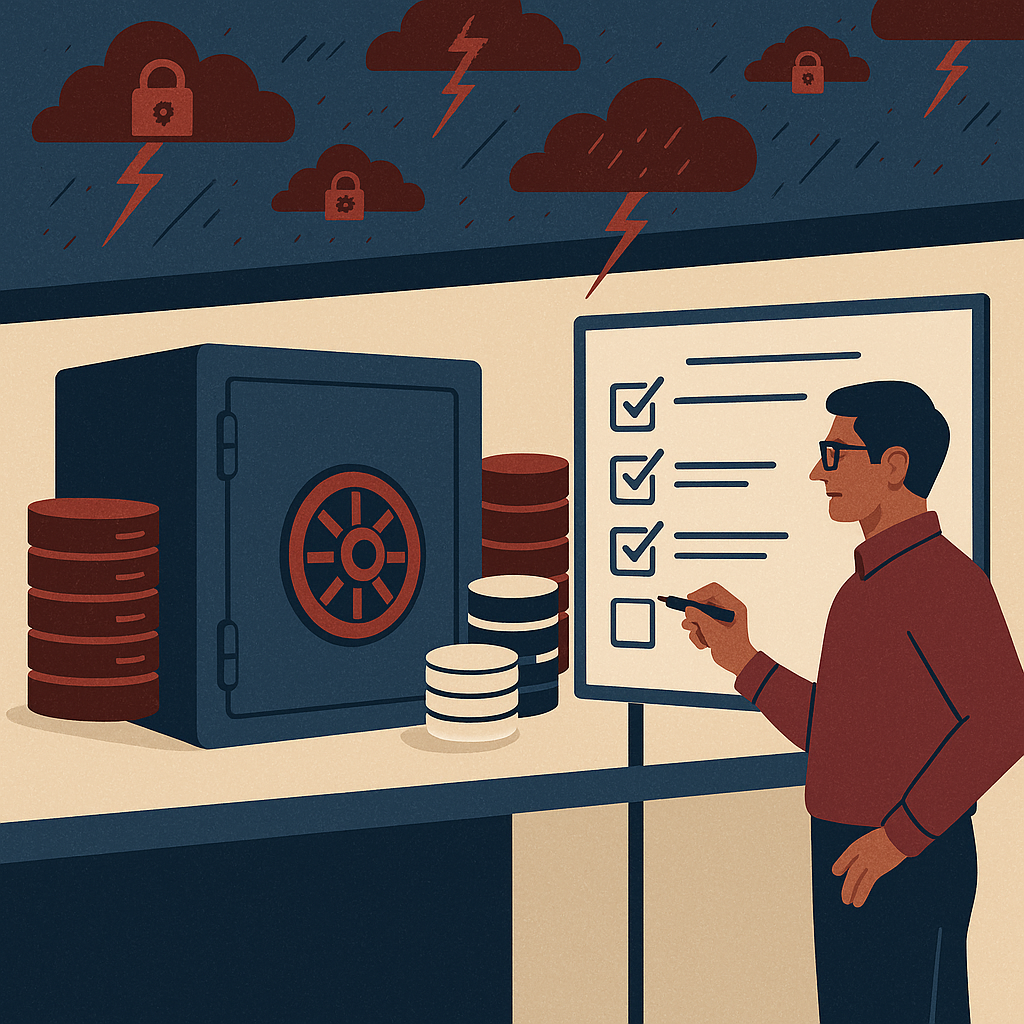
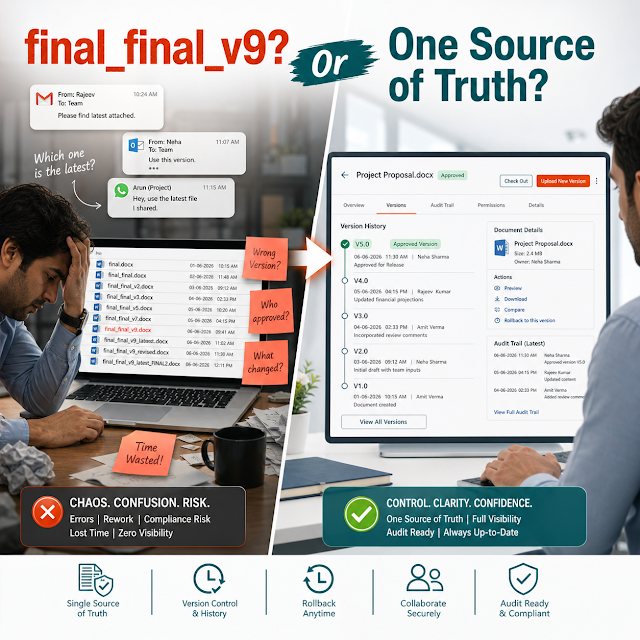
When documents are scattered across inboxes, shared drives, WhatsApp threads, and individual laptops, teams lose time, lose control, and eventually lose trust. The result is familiar: the wrong version gets approved, a confidential file is forwarded outside the organization, an audit request becomes a fire drill, and customer delivery slows down.
A modern business runs on documents—contracts, invoices, HR records, drawings, SOPs, quality manuals, customer onboarding packs, compliance evidence, and more. If those documents are not organized with structure, security, and searchable context, every workflow becomes slower and riskier as the company scales.
This guide explains what secure and efficient document management looks like in practice, why it matters now (especially with AI-driven search and rising compliance expectations), the risks of doing nothing, and how a ShareDocs-style structured document management approach can help you build a document operation that is fast, controlled, and future-ready.
Definition: What is secure and efficient document management?
Secure and efficient document management is the discipline of storing, organizing, governing, and moving documents through business workflows using controlled access, version history, audit logs, retention rules, and fast search—so teams can find the right document quickly while ensuring confidentiality, integrity, and compliance.
Why this matters today (AI search, compliance, scale, buyer expectations)
The pressure on document operations has changed. Ten years ago, “a shared drive” could survive. Today, four forces make structured document management a buyer expectation—not a nice-to-have:
Why it matters: A modern DMS reduces risk while increasing throughput
Document management is not only about storage. It is about controlling the document lifecycle (draft → review → approval → publish → retain → archive) so teams can move faster without losing security, compliance, or consistency.
Key challenges businesses face (and why they keep repeating)
Teams edit attachments and copies. Without controlled check-in/check-out or version history, “final_v7” becomes the operating system.
Confidential data (HR, legal, pricing, client records) is often accessible to more users than necessary, creating avoidable exposure.
When content isn’t indexed with metadata and OCR, finding one clause or invoice can take longer than creating it again.
Audits require traceability: approvals, revisions, retention, and access logs. Ad-hoc storage rarely produces reliable evidence.
Approval cycles happen in email threads with unclear owners and no SLA visibility, delaying customer delivery and internal operations.
Keeping everything forever increases legal risk and storage cost. Deleting randomly increases regulatory and contractual risk.
Risks of doing nothing
- Data leakage and reputational damage: one mis-shared folder can expose client data, pricing, or employee information.
- Audit failures or corrective actions: missing evidence for approvals, training, SOP updates, or retention can trigger penalties and operational disruptions.
- Contractual disputes: unclear versions and approvals lead to disputes on scope, pricing, and delivery timelines.
- Hidden productivity tax: knowledge workers lose hours every week searching, recreating, or reconciling documents.
- Security gaps that widen with growth: more users, more vendors, more locations—without governance, risk scales faster than revenue.
Deep-dive: How document problems break real workflows
Document issues rarely appear as “a document problem.” They appear as slow onboarding, delayed payments, confused customers, or a compliance scramble. Below are common workflow breakpoints and what actually causes them behind the scenes.
A proposal becomes a contract, then a PO, then an invoice. If each department stores documents separately, you lose continuity: approvals aren’t linked, old clauses reappear, and invoice disputes rise because the “latest agreement” is unclear.
Operational symptom: longer deal cycles and more revenue leakage from mismatched terms.
IDs, contracts, policy acknowledgements, training certificates, and performance reviews need role-based access and retention rules. Without a secure DMS, sensitive records sit in open folders or email attachments.
Operational symptom: privacy risk increases while HR admin time grows with every hire.
In ISO-like environments, SOPs must be controlled: one published version, clear revision history, documented approvals, and evidence of employee access to the current SOP.
Operational symptom: audits become frantic because the system cannot prove what was effective at a specific date.
Vendor KYC, certifications, SLAs, NDAs, and payment documents often live in disconnected systems. When a vendor certificate expires, the business finds out too late.
Operational symptom: compliance exposure and delayed vendor onboarding.
Solution approach: How structured document management solves it
A secure DMS is effective when it applies structure to documents without slowing people down. The goal is simple: users can create and find documents in seconds, while the organization enforces policy automatically in the background.
Definition: How a DMS helps day-to-day work
A document management system helps by centralizing documents in a controlled repository, applying role-based permissions, capturing version history and audit trails, and routing documents through standardized workflows so the right people can review and approve with full traceability.
A ShareDocs-style approach typically focuses on these pillars:
Documents are categorized by department, process, customer, project, or record type, with consistent metadata for fast filtering and reliable reporting.
Access control, confidentiality, and audit logging are built in. You reduce dependency on individual judgment and prevent accidental exposure.
Standard review/approval flows, task ownership, reminders, and SLAs turn “follow-up culture” into predictable process.
OCR, indexing, and filters help users retrieve the exact document (or clause) quickly—without recreating work.
Feature breakdown (buyer-focused)
Ensure users only see what they should. Map permissions by department, project, client, or document type, and reduce data leakage risk.
Buyer value: supports confidentiality and simplifies audits by showing enforced access rules.
Maintain a single source of truth. Track changes over time and restore prior versions when required.
Buyer value: reduces rework, prevents wrong-document decisions, and provides defensible records.
Capture who viewed, edited, downloaded, shared, and approved. Turn “we think” into “we can prove.”
Buyer value: speeds up audits and investigations while improving governance.
Route documents to the right approvers with clear ownership, status, and reminders. Standardize approvals across teams.
Buyer value: reduces cycle time, improves accountability, and enables SLA reporting.
Convert scanned PDFs into searchable content. Combine keyword search with filters like date, department, client, and document status.
Buyer value: saves hours per employee per month and improves responsiveness to customers and regulators.
Apply retention rules by document type (e.g., HR, finance, contracts). Archive what must be preserved and reduce clutter safely.
Buyer value: reduces legal exposure and supports compliance document management.
Comparison: Shared drive vs. structured DMS vs. enterprise-grade DMS
Industry use cases (realistic scenarios)
Scenario: A plant updates SOPs and work instructions quarterly. Technicians must always use the current version while QA needs evidence of approvals and effective dates.
What a DMS changes: controlled documents, revision history, approvals, and quick retrieval on the shop floor—without uncontrolled printouts.
Scenario: Patient-related documents, vendor contracts, and internal policies require strict access, retention, and auditability.
What a DMS changes: least-privilege access, audit logs, structured folders by facility/department, and faster compliance responses.
Scenario: Invoices, POs, receipts, and approvals arrive via email, scans, and portals. Matching and retrieval slows month-end close.
What a DMS changes: OCR, indexing, standardized document types, and fast retrieval—reducing disputes and improving close speed.
Scenario: Contracts, policies, board documents, and regulatory correspondence require strict control, approvals, and retention.
What a DMS changes: access control, versioning, audit trails, and consistent records management across matters and entities.
Scenario: Drawings, BOQs, change requests, site photos, and approvals move between contractors and internal teams.
What a DMS changes: single source of truth per project, controlled sharing, and faster approvals—reducing claims and rework.
Scenario: Policies, asset records, vendor docs, and internal runbooks must be accessible, current, and auditable.
What a DMS changes: standardized governance, faster incident support through better knowledge retrieval, and simpler audits.
Implementation perspective (what good looks like)
The best implementations start with clarity and governance. A DMS is not successful because it is installed—it succeeds because it becomes the default way work gets done.
Identify your highest-risk, highest-volume document categories (contracts, HR files, invoices, SOPs). Assign business owners for each.
Keep metadata practical: department, project/client, document type, status, effective date, and confidentiality level.
Implement 1–2 core workflows first (e.g., SOP approval, contract review). Add more once adoption is stable.
Move active documents first. De-duplicate, archive outdated items, and avoid importing years of clutter into a new system.
Teach users how to complete real tasks: “upload + tag,” “request approval,” “find the latest contract,” “produce audit evidence.”
Track retrieval time, workflow cycle time, and usage by department. Refine permissions and metadata based on real usage.
Business impact / ROI: where the gains come from
ROI is usually a combination of productivity, risk reduction, and faster cycle times. The biggest wins often show up in everyday operations:
When documents are indexed and searchable, teams stop recreating files and reduce time spent hunting for “the right version.”
ROI lever: measurable reduction in average retrieval time per document.
Automated workflows reduce follow-ups and make ownership visible. Approval SLAs become realistic and trackable.
ROI lever: shorter cycle time for contracts, SOPs, invoices, and onboarding.
Audit readiness improves when approvals, version history, and access logs are built-in rather than assembled manually.
ROI lever: fewer staff-hours preparing evidence and responding to findings.
Least-privilege access, auditability, and retention policies reduce the probability and impact of data incidents.
ROI lever: risk reduction (often the largest “silent” benefit).
Future-readiness: AI-enabled content operations (without losing control)
AI is changing how teams search, summarize, and reuse knowledge. But AI only becomes an advantage when your repository is governed. Otherwise, AI will confidently surface the wrong version, reveal restricted content, or train users to trust unreliable outputs.
What is AI-enabled content operations?
AI-enabled content operations is the practice of using AI-assisted search, extraction, classification, and summarization on business documents—powered by clean metadata, controlled access, and reliable versioning—so users get fast answers while the organization maintains governance.
A structured DMS ensures documents have consistent context (type, owner, status, effective date). That context improves AI relevance and reduces hallucinated conclusions.
AI-powered retrieval must respect access control. Governance-first document security prevents sensitive content from being surfaced to the wrong user.
When documents follow consistent workflows, it becomes easier to automate classification, retention, and downstream business processes.
FAQ (search-style questions)
An enterprise document management system is a platform that centralizes business documents with governance features such as access control, version history, audit trails, workflow automation, and retention policies—designed to scale across departments and locations.
A DMS improves document security by enforcing role-based permissions, logging access and actions, reducing uncontrolled copies, and creating a single source of truth so confidential files are not spread across inboxes and personal storage.
Start with the workflows that are high-volume or high-risk—commonly contract review/approval, SOP controlled document approval, invoice/PO document routing, or HR onboarding document checklists. Early wins drive adoption.
Yes. A phased migration works best: move active documents first, define a clean folder/metadata structure, archive outdated content, and train users on daily tasks. This avoids bringing old clutter into the new system.
A compliance-ready DMS provides traceability (audit logs), controlled documents with approvals and effective dates, consistent retention policies, secure access control, and fast evidence retrieval. It makes compliance repeatable rather than dependent on individual habits.
Ready to make your document operations secure, searchable, and scalable?
If your team is losing time to version confusion, manual approvals, and audit stress, it’s time to move from ad-hoc storage to structured document management. Explore how ShareDocs can support enterprise document management, document security, workflow automation, and compliance document management—without slowing daily work.
Learn more on the official site: https://sharedocsdms.com/