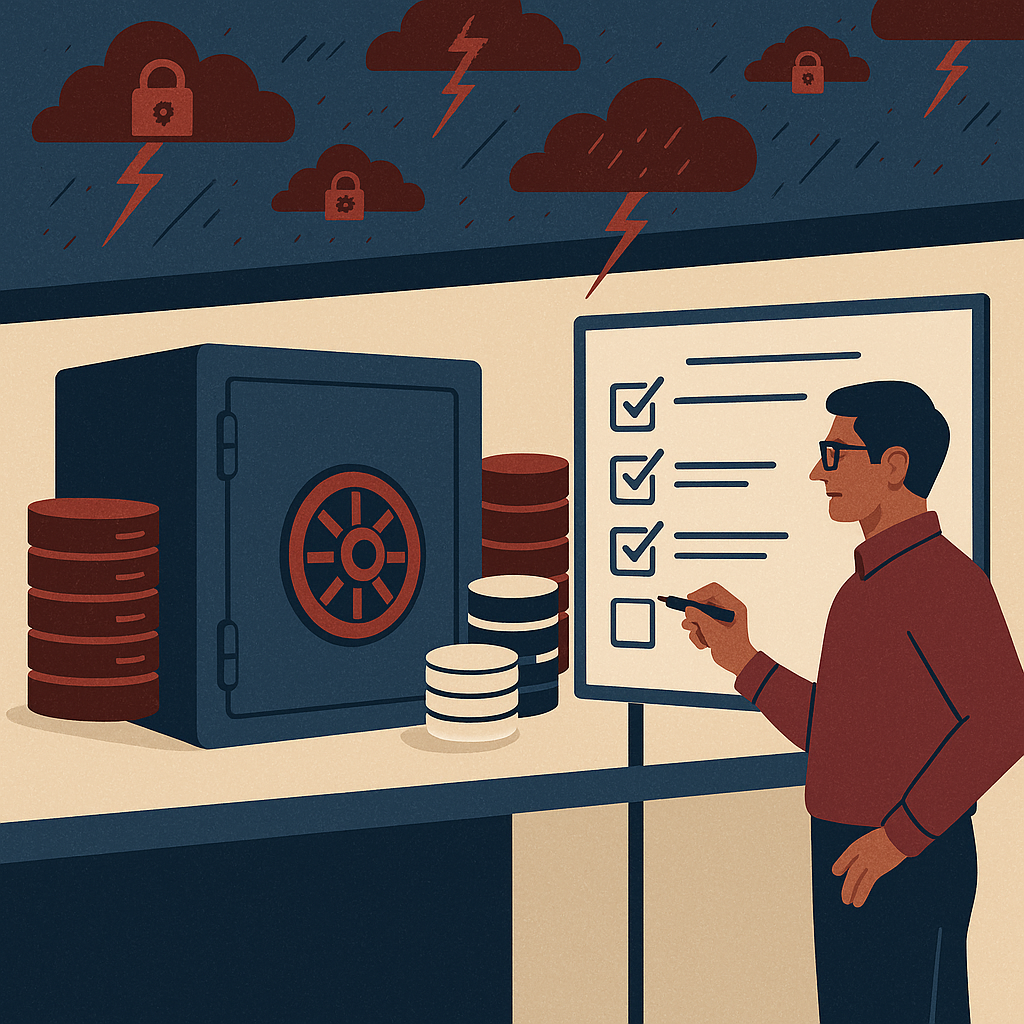
Secure cloud document management with better access, search, control, and compliance for modern business teams.
Best cloud DMS company in India for secure document sharing, enterprise document management, document security controls, compliance document management, workflow automation, approvals, audit trails, versioning, role-based access control, ISO-aligned governance, AI-enabled content operations, content lifecycle management, controlled documents, SOP management, CAPA documentation, vendor document control, project documentation, finance records retention, HR employee file management, construction drawings and revisions, healthcare document privacy, secure external sharing.
Best Cloud DMS Company in India for Secure Document Sharing Sharedocs
If your teams still rely on email threads, shared drives, and WhatsApp for business files, you are not “moving fast”—you are building hidden risk. A secure cloud DMS (Document Management System) gives you controlled sharing, clean version history, faster approvals, and provable compliance without slowing teams down.
In many Indian enterprises and fast-growing mid-market companies, document sharing becomes chaotic at the exact moment the business starts scaling: more departments, more vendors, more audits, more customer expectations, and more remote work. The result is familiar—lost time, duplicated work, risky over-sharing, and last-minute panic during audits or customer due diligence.
This long-form guide explains what to look for in the best cloud DMS company in India for secure document sharing, and why a ShareDocs-style structured approach to document management improves governance, productivity, and AI readiness. You’ll also see common workflow failures, real industry scenarios, implementation steps, and measurable ROI outcomes.
Why this matters today (AI search, compliance, scale, buyer expectations)
Document management used to be a “back office” tool. Today it directly impacts revenue, risk, and customer trust. Three forces are changing expectations:
- AI search and AI assistants: People expect answers instantly. If your content is unstructured and uncontrolled, AI outputs become unreliable or even unsafe.
- Compliance and due diligence pressure: Auditors, investors, and enterprise customers expect evidence: version history, approvals, access logs, and retention controls.
- Scale and distributed work: More stakeholders (internal + external) need access, but only to the right documents, at the right time, with the right permissions.
What is a Cloud DMS?
A cloud document management system is a secure online platform that stores business documents with access control, versioning, workflows, and audit trails so teams can find, share, and govern files reliably.
Why it matters
It reduces operational drag and prevents compliance incidents by ensuring everyone works on the latest approved version, with controlled access and traceable actions.
How it helps secure sharing
It enables role-based permissions, expiry-based links, watermarking (where supported), download controls, and complete audit logs—so you can share confidently without losing control.
Key challenges in secure document sharing (and why teams get stuck)
Version confusion
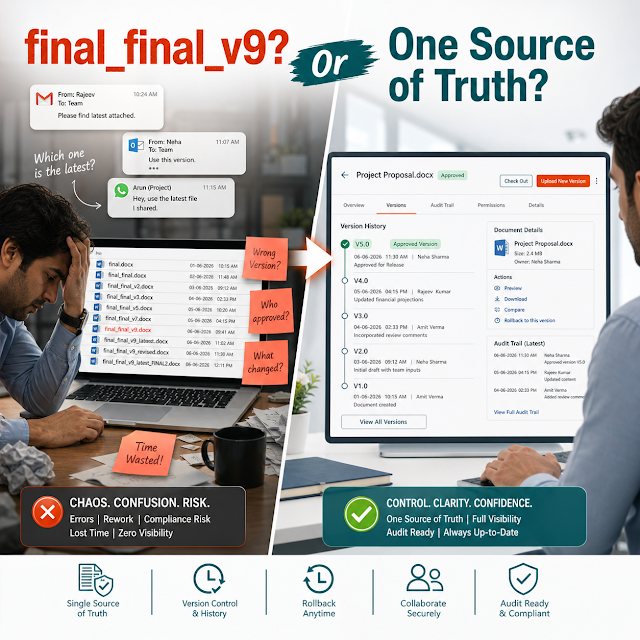
Teams circulate “final_v7” files across email and chats. The wrong version gets signed, sent to customers, or used for production decisions.
Over-sharing and permission sprawl
Shared drives often become “everyone has access.” Sensitive HR, finance, legal, and customer documents are exposed beyond need-to-know.
No audit evidence
During audits or disputes, teams cannot prove who accessed a file, what changed, and when approvals happened.
Slow approvals
Approvals happen through email chasing. Stakeholders miss context, and compliance steps are skipped to meet deadlines.
Weak retention and disposal
Documents are kept forever (risk) or deleted accidentally (risk). Without retention rules, teams cannot manage lifecycle responsibly.
Vendor and customer sharing friction
Externals need access, but IT doesn’t want to create accounts for everyone. So files get shared via insecure links or attachments.
Risks of doing nothing
- Compliance exposure: Missing approvals, unclear ownership, and no audit trail can fail audits and slow enterprise deals.
- Data leakage risk: Sensitive documents can be forwarded without visibility. A single leak can trigger contractual penalties and reputational damage.
- Operational waste: Employees spend time searching, recreating documents, and reconciling versions instead of executing work.
- Customer trust impact: Enterprise buyers increasingly ask for secure content practices (controls, logs, retention). Weak answers can block procurement.
- AI readiness gap: AI cannot reliably summarize, answer, or automate processes when the source content is inconsistent and uncontrolled.
Deep-dive: how these problems break real workflows
1) Contract lifecycle: draft → review → approval → signing
Legal teams often receive contract drafts via email, review in parallel, and track changes in multiple copies. Without controlled versioning and role-based access, the business risks signing an outdated clause set or exposing sensitive commercial terms internally. A cloud DMS standardizes the contract repository, enforces “latest approved version,” and creates evidence of approval steps.
2) SOPs and controlled documents: creation → training → revisions
In manufacturing, pharma, and regulated services, SOPs must be updated, reviewed, approved, and distributed to the right teams. If old SOPs remain accessible, employees may follow the wrong procedure—creating quality issues and audit findings. A structured DMS supports controlled access, revision history, and visible status (draft, under review, approved, obsolete).
3) Vendor documentation: onboarding → compliance checks → renewals
Procurement needs vendor KYC, certifications, NDAs, and bank documents. With shared folders and manual reminders, renewals are missed and expired certificates are used. A DMS helps categorize vendor documents, assign owners, set reminders, and restrict access to sensitive banking and identity files.
4) Project documentation: drawings → revisions → site coordination
Engineering and construction teams handle drawings, BOQs, change orders, and site photos. If field teams download outdated drawings or can’t find the latest revision, rework and delays follow. A DMS creates a single source of truth with controlled sharing for contractors and consultants—without giving broad access to your internal repository.
Solution approach: ShareDocs-style structured document management
Secure document sharing is not just “uploading to the cloud.” The real solution is structured document management: consistent metadata, clear ownership, controlled access, repeatable workflows, and audit-ready logs across the full content lifecycle.
What “structured” means in practice
Documents are organized by business context (department, process, project, customer, vendor), tagged with key attributes (type, owner, status, effective date, retention class), and governed by rules (permissions, workflows, and audit trails). This structure improves findability, compliance, and AI usefulness.
A cloud DMS aligned with ShareDocs principles typically focuses on: security-by-design, workflow automation, compliance document management, and simple adoption for business users—so governance happens without constant IT intervention.
Feature breakdown (what enterprise buyers should evaluate)
Role-based access control (RBAC)
Limit access by role, department, project, or document type. The best systems support fine-grained permissions so sensitive documents aren’t broadly visible.
Secure external sharing
Share with customers, auditors, vendors, and partners using controlled access methods (time-bound links, access approvals, and tracking).
Version control and document history
Automatic versioning ensures “one source of truth.” Clear change history reduces rework and prevents accidental use of obsolete documents.
Workflow automation for approvals
Route documents for review and approval using defined steps. Reduce dependence on follow-up emails and improve governance consistency.
Audit trail and activity logs
A searchable audit trail helps answer: who viewed, downloaded, edited, approved, or shared a file—critical for compliance and investigations.
Metadata, tagging, and fast retrieval
Go beyond folder browsing. Metadata-based search makes retrieval reliable at scale (by customer, vendor, project, doc type, or effective date).
Retention and lifecycle controls
Define how long documents must be retained and when they should be archived or disposed—reducing both storage waste and legal risk.
Security governance
Look for encryption, authentication options, administrative controls, and governance reports that support enterprise document security expectations.
Comparison: shared drive vs. generic cloud storage vs. cloud DMS
Shared drive / local server
Works for small teams, but breaks under scale and remote work.
Strength: Familiar folder structure.
Limit: Weak external sharing, inconsistent permissions, limited workflow controls.
Risk: Hard to prove compliance and manage versions reliably.
Generic cloud storage
Better access and sharing, but often lacks governance depth for controlled documents.
Strength: Quick sharing and collaboration.
Limit: Governance depends on user discipline; limited compliance workflows.
Risk: Folder sprawl, permission sprawl, and weak audit readiness.
Cloud DMS (ShareDocs-style)
Built for enterprise document management, compliance, and secure sharing at scale.
Strength: RBAC, workflows, version control, audit trails, retention, structured metadata.
Outcome: Faster approvals + safer sharing + easier audits.
Fit: Teams with regulated processes, high stakeholder count, or frequent external sharing.
Industry use cases (realistic scenarios)
Manufacturing & Quality
A plant updates an SOP after a quality incident. The DMS routes it for review, captures approvals, publishes the latest version, and archives the obsolete copy to prevent accidental use on the shop floor.
Construction / Engineering Projects
A contractor needs access to approved drawings only. With secure external sharing, they see the latest revision and the project team reduces rework caused by outdated files.
Finance & Audit Readiness
During statutory audit, finance shares a controlled folder for invoices, approvals, and reconciliations with view/download restrictions and a complete access log.
HR & People Operations
Employee documents are separated by role-based permissions. HR can share specific letters securely with employees while preventing broad internal exposure.
Sales Enablement for Enterprise Deals
Sales shares the latest approved security, compliance, and product documents with prospects—without risking outdated PDFs or uncontrolled forwarding.
Healthcare & Clinics (privacy-sensitive)
Policies, vendor contracts, and controlled operational documents are stored with strict access controls and audit trails to support privacy and operational governance.
Implementation perspective: how to roll out a cloud DMS without disruption
-
Start with high-risk, high-impact content. Typical first candidates: SOPs, policies, contracts, finance approvals, HR confidential documents, vendor onboarding sets.
-
Define a simple information architecture. Agree on document types, naming standards, metadata fields (owner, department, effective date), and retention classes.
-
Map workflows that mirror reality. Keep approvals practical: who reviews, who approves, what is mandatory, and what is escalated.
-
Set permission roles, not individual exceptions. RBAC reduces ongoing admin work and prevents permission drift over time.
-
Migrate in phases with validation. Move “active” content first. Archive legacy content with clear labels and restricted access.
-
Train by job-to-be-done. Teach users how to find the latest approved doc, request approvals, and share externally—these tasks drive adoption.
A strong DMS rollout is less about “moving files” and more about establishing a scalable operating model for content: ownership, governance, and repeatable workflows.
Business impact and ROI (what leaders can measure)
Time saved in search and rework
When users can reliably find the latest document via metadata and search, teams reduce time spent hunting across drives, email, and chats.
Faster approvals and cycle times
Standard workflows reduce follow-ups and bottlenecks. Leaders can track stage-wise delays and improve process performance.
Reduced compliance cost
Audit trails, approvals, and controlled versions reduce time spent preparing evidence and responding to audit observations.
Risk reduction (hard savings)
Avoiding a single major data leak, contract error, or compliance failure can justify the DMS investment. Governance lowers the probability of expensive incidents.
Better buyer confidence
For B2B companies, strong document governance supports enterprise procurement and security questionnaires—helping deals close faster.
Operational clarity and ownership
Metadata like “owner” and “effective date” makes responsibilities visible. This reduces confusion and prevents process decay over time.
Future-readiness: the AI angle (and why governance becomes non-negotiable)
AI in the enterprise is becoming search-first: users ask questions and expect accurate, permission-aware answers. That only works when your document layer is trustworthy. A cloud DMS strengthens AI readiness by improving content quality, structure, and access governance.
Definition: What is AI-enabled content operations?
AI-enabled content operations is the practice of using AI to find, summarize, classify, route, and generate content—while keeping accuracy, compliance, and permissions intact. A DMS provides the governed source layer that makes AI outputs reliable.
How a structured DMS improves AI outcomes
- Cleaner retrieval: Metadata and controlled versions reduce hallucination risk by anchoring AI responses to approved documents.
- Permission-aware answers: Users should only see what they’re authorized to access. Governance enables secure AI search and summarization.
- Faster classification: Standard doc types and tags make it easier to automate routing, retention, and review cycles.
FAQ: Cloud DMS in India for secure document sharing
1) Which is the best cloud DMS company in India for secure document sharing?
The best option is the one that matches your governance needs: role-based access, workflow automation, version control, audit trails, and secure external sharing. Evaluate with real workflows (contracts, SOPs, vendor docs) rather than only storage capacity.
2) What is the difference between cloud storage and a document management system?
Cloud storage focuses on file hosting and basic sharing. A DMS adds enterprise document management controls like structured metadata, approvals, audit evidence, retention policies, and controlled publishing of approved documents.
3) How does a cloud DMS improve compliance document management?
It helps enforce review/approval workflows, maintains version history, restricts access to sensitive files, and provides an audit trail for evidence during inspections, audits, and customer due diligence.
4) Can we share documents securely with vendors and customers without creating accounts for everyone?
Many DMS platforms support secure external sharing through controlled access links, restricted folders, expiry rules, and access tracking. The key is keeping governance and audit visibility while minimizing friction.
5) What should we prioritize in the first 30–60 days of DMS implementation?
Prioritize high-risk documents (policies, SOPs, contracts, finance approvals), define a clear folder/metadata model, set RBAC roles, and launch 1–2 approval workflows. Early wins come from faster retrieval and fewer version errors.
Explore more from ShareDocs
Ready to secure document sharing and standardize approvals?
If you want a cloud DMS that supports enterprise document management, compliance document control, workflow automation, and audit-ready governance—start with a focused pilot (SOPs, contracts, vendor docs) and scale from there.
Visit ShareDocs
Read more guides
Tip: Bring one real workflow (e.g., contract approvals) and test it end-to-end: permissions → versioning → external sharing → audit trail.